A URL Slug Told Our Audit a National Firm Was Local
Jev is TypeSafe's judgment model, and you use it by handing it state to judge instead of writing it a prompt to answer. Every Lighthouse Local audit asks one question before it scores anything local. Does this business serve one area, or a whole country? The answer decides whether the audit checks for a Google Business Profile that feeds AI answers, LocalBusiness schema markup, and service-area pages, or leaves them out because a software company has no use for any of them.
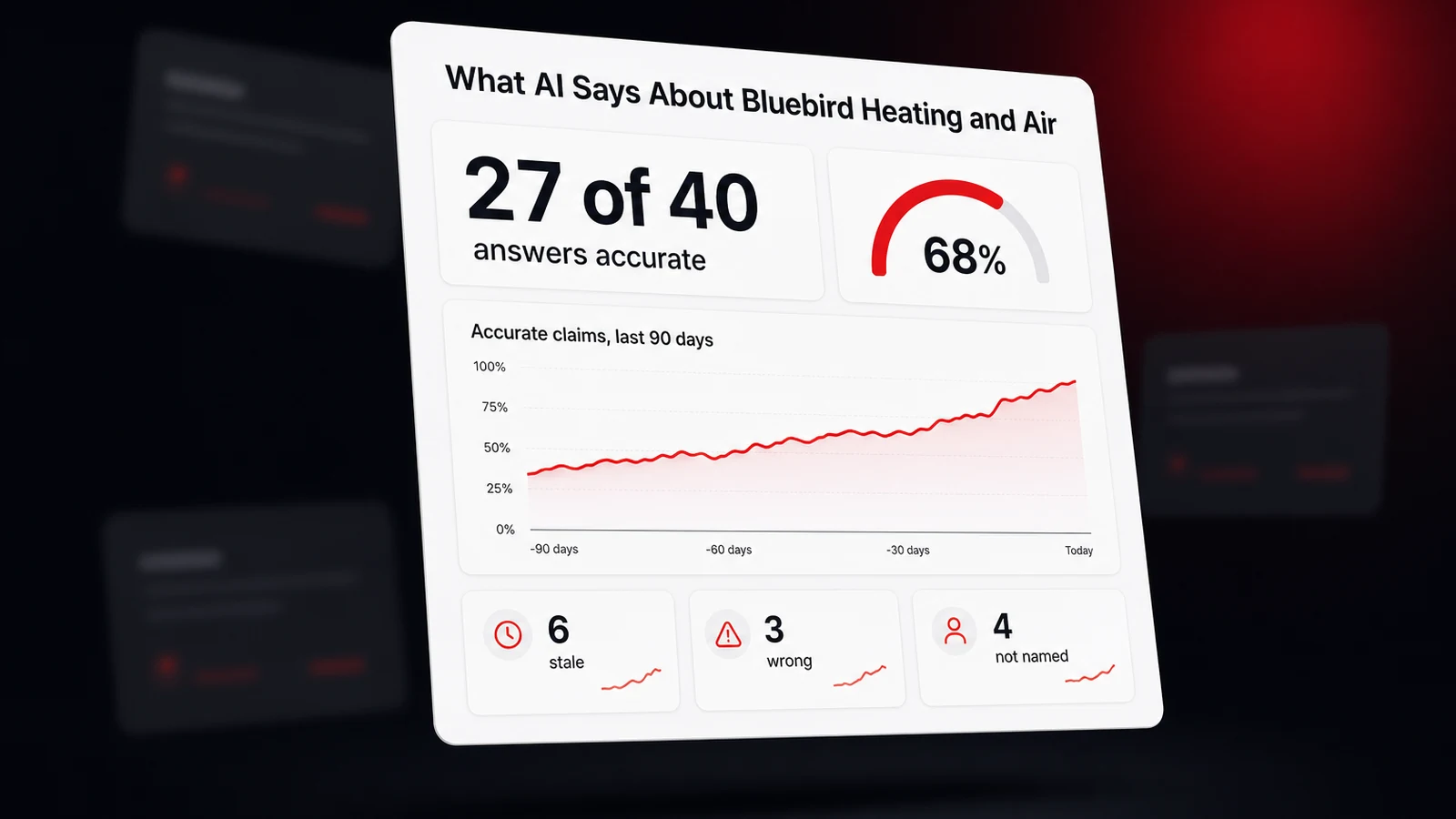
A stack of rules has always answered that question. It never reads what a business says about itself. It reads proxies, things like profile categories, URL slugs, address counts in structured data, and language prefixes. Rules like that fail in a specific way. They don't make judgment errors, they make shape collisions. A national B2B firm with a page at /who-we-serve matched our "we serve" pattern and got scored like a neighborhood shop. The word "cities" inside /smart-cities did the same to an infrastructure company. A local Canadian business with a single /fr-ca/ prefix looked international. An online store on a standard storefront theme tripped nothing at all, so its fix list told it to go claim a Google Business Profile.
Every patch for one collision created the next one. So in September 2026 we built a replacement on Jev, the first model from TypeSafe AI, and ran the two against each other on real homepages. It's on its way into our audit pipeline now, with the old rules staying on as the fallback. This guide is what we wrote down along the way. What Jev is, how to call it, how we worded the questions, where we set the thresholds, what it can't do, and which of our other heuristics are next in line.
Jev Returns Typed Answers With Probabilities, Not Text
Jev is what TypeSafe calls a System One model. The company's launch announcement for System One models describes it as unstructured state in and typed, probabilistic decisions out, and says plainly that Jev gives up writing text to get there. You don't prompt it and parse a reply. You send it state, which is any text or JSON you want judged, plus a set of typed questions, and each answer comes back as a value your code can branch on.
Jev is a judgment model that answers three kinds of typed question, a Choice, a Noul, or a Score, and returns a probability with every answer instead of generated text.
| Primitive | The question it answers | What comes back | Where it fits |
|---|---|---|---|
| Choice | Which one of these options? | The winning option, a probability for every option, and a confidence number | Geographic scope, page type, publisher kind |
| Noul | Is this true, yes or no? | One probability between 0 and 1 | Does this page state a price? Does this sentence mean this business? |
| Score | How far along this scale? | A weighted position on ordered levels, plus a probability for each level | How warmly an AI answer describes a business |
A few details from the docs shape how you use each one. TypeSafe's Choice reference allows up to 255 options per question, and each option can carry a plain description or a small object that spells out what it covers and what it excludes. The Noul reference is clear that a value near 0.5 means yes and no looked about equally likely, not that the answer is "medium." And the Score reference gives the most useful writing advice in the whole docs set, "Describe situations, not degrees." A level that reads "broken feature, workaround exists" gives the model something to match. A level that reads "moderately severe" doesn't.
The practical numbers live in TypeSafe's model reference. As of September 2026 the current model is jev-1.13.0, input costs $0.042 per million tokens, output tokens are free, a request can carry 64,000 tokens in total, and state is text only, so images and audio need converting first. English is the most accurate language. The launch post puts end-to-end response time between 70 and 500 milliseconds, which is fast enough to sit inside a request a user is waiting on.
Your First Jev Call With the JavaScript SDK
TypeSafe's JavaScript SDK guide covers setup in two steps. Install @typesafe-ai/sdk, then put your key in the TYPESAFE_API_KEY environment variable, where the client picks it up by itself. Keep that key on the server. There's a Python SDK and a plain HTTP endpoint too, and the request has the same two parts everywhere, state and questions.
Here's a complete call. It uses the page-type question that's next on our own list, asked about one crawled page.
import { choice, noul, TypeSafeClient } from '@typesafe-ai/sdk';

// Reads TYPESAFE_API_KEY from the environment. Server-side only.
const client = new TypeSafeClient();

const response = await client.systemOne({
  model: 'jev-1.13.0',
  state: {
    path: page.path,
    title: page.title,
    h1: page.h1,
    bodyExcerpt: page.bodyExcerpt,
  },
  questions: {
    pageType: choice('What kind of page is this on a business website?', {
      service: 'Describes one service the business sells.',
      service_area: 'Describes a service as offered in one named city or area.',
      blog_post: 'A dated article or guide.',
      faq: 'A list of questions and answers.',
      about: 'Tells the story of the business or its team.',
      contact: 'Exists mainly so a visitor can call, write, or visit.',
      other: 'None of the other options fit.',
    }),
    statesPrice: noul('Does this page state at least one price for a service?'),
  },
});

const { pageType, statesPrice } = response.answers;

console.log(pageType.choice); // 'service_area'
console.log(pageType.probabilities); // one number per option, summing to 1
console.log(pageType.confidence); // 0 to 1, how concentrated the spread is
console.log(statesPrice.noul); // probability of yes
Three habits are worth forming on day one. First, send named JSON fields rather than one blob of text, so a question can point at title or bodyExcerpt by name. Second, always include an other option when your list might not cover every input, because the model can only pick from what you give it. Third, ask every independent question about the same state in one request. TypeSafe's guide to building with System One explains that questions in a request run in parallel and can't see each other's answers, so a second question costs you tokens but no extra round trip. The keys, pageType and statesPrice here, are for your code only and never reach the model, so the full meaning has to live in the question text.
How We Worded the Local vs. National Question
The state came first. Jev reads instructions literally and gets worse when the state carries unrelated text, so we don't send page HTML. We send a handful of fields pulled from the crawl. The host, the title, the meta description, the main heading, the navigation labels, a body excerpt that prefers the main content area and drops page chrome, plus profile categories and address countries when we have them. A field with no signal is left out entirely instead of sent as null, so the model never reads an omission as a stated fact.
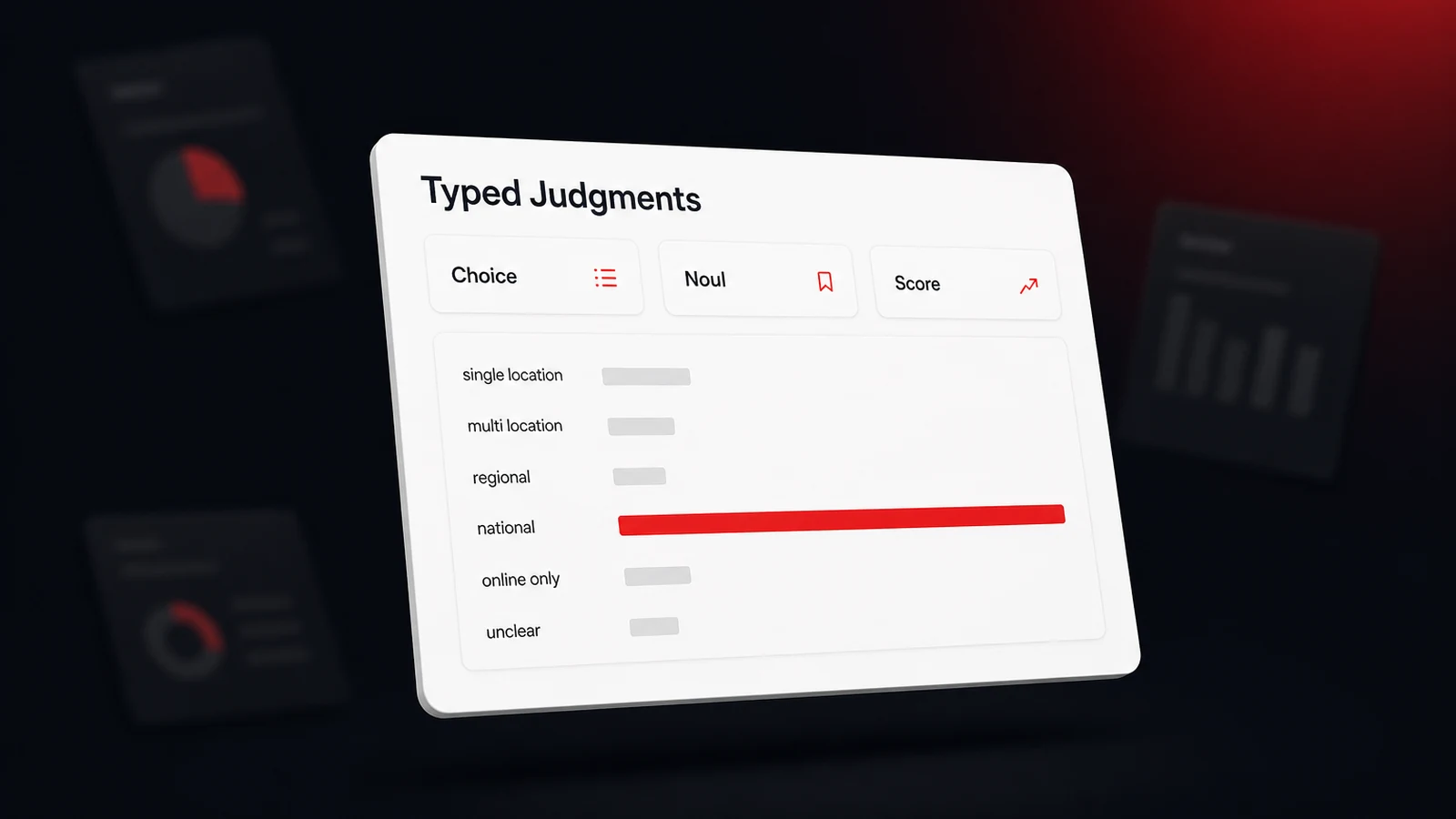
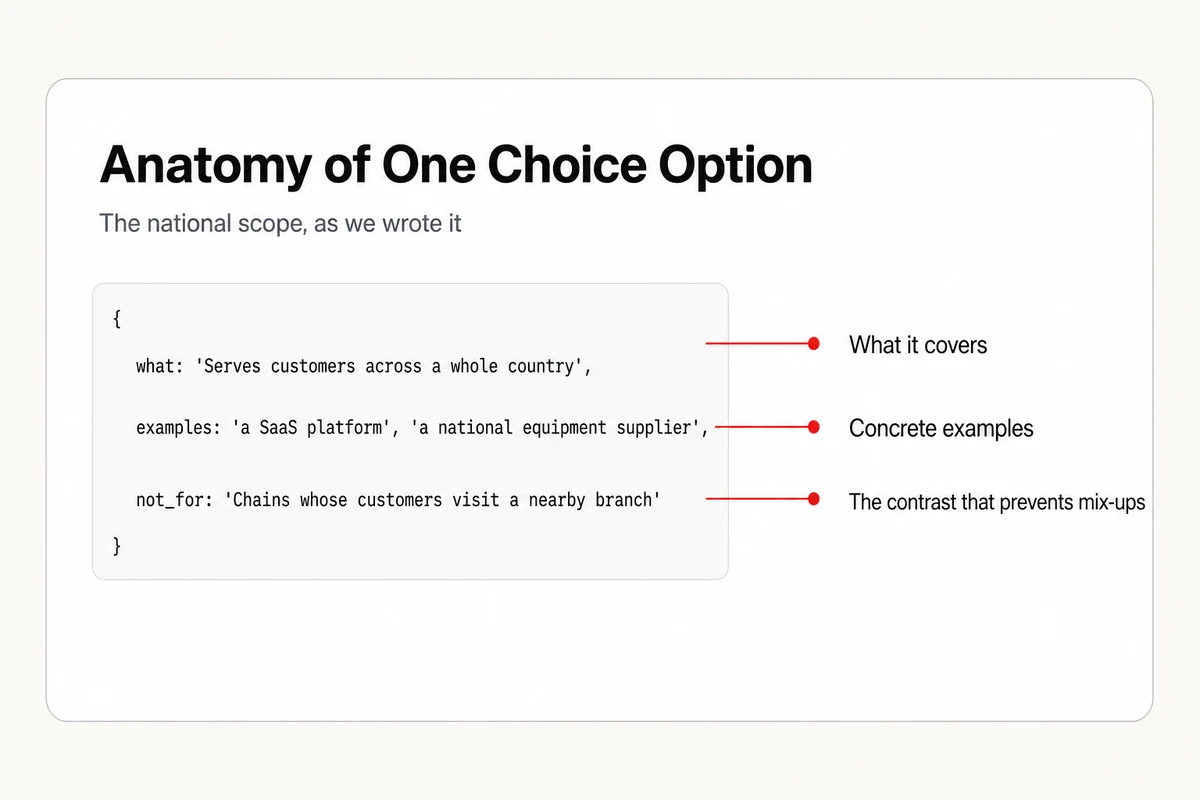
Then the question. Scoring only needs three values, national, local, or unclear. We asked for six anyway. The Choice runs across single location, multi location, regional, national, online only, and unclear, because a richer question costs nothing extra per request, and the difference between a franchise, a regional firm, and an online store is exactly what later scoring work will need. Each option uses the object form, with a line for what it covers, a few examples, and a line for what it isn't.
const SCOPE_CRITERIA = {
  multi_location: {
    what: 'Operates several customer-facing branches, and each one serves customers in its own area.',
    examples: ['a franchise with a store locator', 'a bakery with five shops in one metro'],
    not_for: 'A company that lists corporate offices or plants its customers never visit (national).',
  },
  national: {
    what: 'Serves customers across a whole country, and where a customer is located does not decide whether they can buy or hire.',
    examples: ['a SaaS platform', 'a national industrial equipment supplier'],
    not_for: 'Chains whose customers visit a nearby branch (multi_location).',
  },
  // single_location, regional, online_only, and unclear follow the same shape
};
The not_for lines did the most work. Nearly every mistake in early runs was a contrast the criteria hadn't spelled out, such as a chain whose customers visit the nearest branch, which is multi location and not national. The instruction itself carries two sentences we'd repeat in any geography question. Judge who the business sells to and where those customers are, not where the company's own offices sit. And treat a language or country code in a URL as a statement about who the site is written for, never as evidence that the business serves a whole country. That second sentence retires the /fr-ca/ collision in plain English.
Alongside the Choice, the same request asks two Nouls. Does the site show that its customers are mainly in one specific area? Can a customer anywhere in the country buy from it without being near a location? They don't feed the verdict. They're a cheap cross-check that gets stored with the judgment, so a disagreement between the Choice and the Nouls is visible later.
Set Uneven Thresholds, Because Wrong Answers Cost Different Amounts
Jev hands back a probability for all six scopes, and the temptation is to take the top label and move on. Don't. The two ways of being wrong here cost very different amounts. Call a local bakery national and the audit drops every local signal, so a shop with a strong profile gets no credit for it, and a shop with no profile never hears that claiming one is its biggest fix. Call a software firm local and the damage is a slightly off score for a business outside our core audience. So the national bar sits high, the local bar sits lower, and anything that clears neither comes back unclear, which scoring treats like local.
const NATIONAL_BAR = 0.9;
const LOCAL_BAR = 0.6;

function mapScopeToLocality({ probabilities: p }) {
  if (p.national + p.online_only >= NATIONAL_BAR) return 'national';
  if (p.single_location + p.multi_location + p.regional >= LOCAL_BAR) return 'local';
  return 'unclear';
}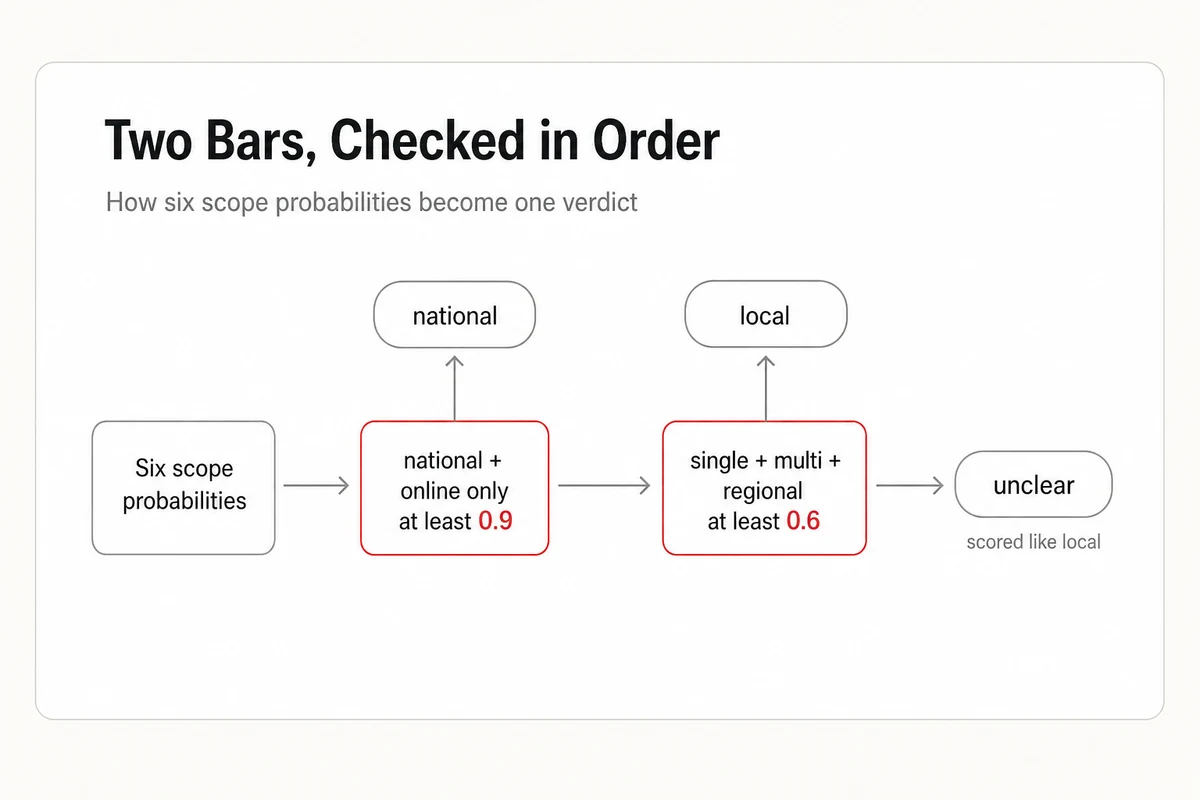
Summing related options before comparing matters as much as the bar. A store that ships everywhere might split its probability between national and online only, and either label alone could fall short while the pair clears easily. The spread is also where the honest misses show up. One national agency in our test set brands itself around its home city, and Jev split its probability almost evenly across three scopes. No single label was confident, the national bar wasn't met, and the verdict fell to the safe side. TypeSafe's confidence guide makes the same point in general terms. There's no universal threshold, so start conservative and tune against your own data.
The rest of the wiring is ordinary engineering, and it's what makes a model safe to depend on.
- Pin the model version. The
jev-latestalias moves when TypeSafe ships a release, which would quietly shift verdicts that your thresholds were tuned against. - Never let the classifier throw. Ours returns null on any failure and the old rules decide instead, so an outage can't fail an audit.
- Budget by path. In front of a waiting user we allow one three-second attempt. In a background job we allow longer and one retry.
- Validate the response at the boundary. Types describe what the SDK promises, not what arrives over a network. We check that every expected probability is a finite number before using any of them.
- Log a failed request and an unusable response differently. One is network weather. The other means the vendor changed something.
Jev vs. Structured Output From a Chat Model
The obvious alternative is a chat model with structured output switched on. OpenAI's structured outputs guide promises responses that always adhere to the JSON Schema you supply, and the other big model vendors make similar promises. That solves parsing. It doesn't give you a probability, and it's a guarantee about shape, not about truth.
| Chat model with structured output | Jev | |
|---|---|---|
| What you get back | JSON that matches your schema | A typed answer plus a probability for every option |
| Uncertainty | Ask the model to rate itself, or sample it several times | Returned with every answer |
| Reasons | Can explain itself in words | None, you get numbers only |
| Open-ended text | Yes | No |
| Answer space | Can be loose or unknown in advance | Has to be defined up front |
| Input | Text, and often images or audio | Text only |
| Billing | Input and output tokens | Input tokens only, per TypeSafe's published pricing |
Now the caveats, because the launch drew plenty. The sharpest criticism in the Hacker News discussion of the launch was aimed at the claim that Jev can't hallucinate. That's true in a narrow sense. A Choice can't return an option you didn't list. It can still pick the wrong option with high confidence, and a typed wrong answer is still wrong. DataCamp's explainer on System One models adds two more. Jev gives you a number and never a rationale, which makes debugging and regulated audits harder, and as of mid-September 2026 nobody outside TypeSafe had reproduced the headline speed and cost comparisons at scale. TypeSafe's own launch post concedes that its evaluation workflows were written by its own team.
So stay with a chat model when you need an explanation, need text written, can't list the possible answers in advance, or need to judge an image. Reach for Jev when the question is narrow, the answers are known, the volume is high, and a wrong answer needs a confidence number attached so code can decide what to do with it. And whichever you pick, trust your own evaluation over anyone's benchmark, the vendor's included.
The Heuristics We're Handing to Jev Next
Locality is the first judgment we've built. It's not the last pattern-matcher in the codebase. Here's the rest of the plan, in roughly the order we expect to get to it. None of these have shipped yet, and each one will go through the same evaluation before it decides anything.
| Heuristic today | How it breaks | The Jev question we plan to ask |
|---|---|---|
| Page types from ordered regexes over URL paths | A maps file at /locations.kml matched the locations pattern, and blog archive pages matched as posts | One Choice over the page's own text, with an other option |
| Prompt intent from regex lists, including a hand-kept list of car brands | Anything the patterns miss defaults to informational | One Choice for informational vs. transactional, plus a Noul for local intent |
| Cited-domain kind from static domain lists | Publishers can't be listed ahead of time, so unknown domains fall through to "business" | One Choice across directory, review site, publisher, social, and business |
| Review themes from keyword dictionaries, with no sentiment | A complaint about punctuality and praise for it count the same | One Noul per theme, plus a Score for how positive the mention is |
| Whether an AI answer names a business, and where in the order | Named first with a warning attached looks identical to a warm recommendation | One Score, running from warned against to recommended first |
| Mentions of businesses with generic names, settled by a word list and capitalization | A name made of everyday words is ambiguous in a sentence | One Noul given the name, city, and category. Does this sentence mean this business? |
The review work builds on a pattern we've written about before, that review themes steer which businesses AI recommends, and counting themes without sentiment only tells half of that story. The last two rows matter most to Lighthouse Local's AI visibility tracker, which already records whether an answer from ChatGPT, Gemini, Claude, Perplexity, or Google AI names a business and cites its site. Our post on how we read what ChatGPT says about a business covers how those answers get collected. Knowing how an assistant framed the mention is the natural next layer, and it's a Score question, not a parsing problem.
Notice what stays in code in every row. Fetching the page, splitting reviews into sentences, finding candidate name matches, combining answers, applying thresholds. The model supplies one narrow judgment at the point where a regex was pretending to understand language, and everything around it stays deterministic and testable.
Evaluate on Real Pages Before Jev Decides Anything
The rollout order matters as much as the wording of the question. For the locality classifier, our local Jev model, we've finished the first two steps, the last three are how it goes live, and every later heuristic will run through the same five.
- Collect real inputs and label them by hand. We captured real homepages, including every known failure shape, and reviewed each label ourselves. A few labels were judgment calls, and arguing about them was useful in itself.
- Run the old rule and Jev side by side, offline. Same inputs, two verdicts, one table. We deliberately didn't pin the old rule's known-wrong answers as unit tests, since that freezes bugs as spec.
- Ship in shadow. The old rule keeps deciding while both verdicts are recorded.
- Promote when the disagreements go the model's way. Then keep the old rule as the fallback and keep storing both verdicts, so agreement over time is a chart and not a feeling.
- Re-run the evaluation before any change to wording, thresholds, or model version. Unit tests use a fake client and never touch the model, so they can't catch a verdict that drifted.
For agencies building their own tooling, that loop is the whole lesson, and it carries over to any narrow judgment a regex is currently faking. For agencies that would rather not build it, Lighthouse Local for Agencies puts the tracking and the specialist fix work under your brand. Our free AI visibility audit is where the locality judgment is headed first, so a national client stops being told to build service-area pages and a local one keeps every local signal it has earned. Give the model a narrow question, real pages, and a bar that matches what a mistake costs. Then let your own evaluation decide when it's ready to decide.
Frequently asked questions
What is TypeSafe's Jev model?
Jev is the first System One model from TypeSafe AI, launched in September 2026. It doesn't write text. You send it state, meaning text or JSON, plus typed questions, and it returns typed answers with probabilities that code can use directly.
What is the difference between Choice, Noul, and Score in Jev?
A Choice picks one option from a list you define and returns a probability for every option. A Noul answers a yes or no question with a single probability of yes. A Score places the input on a scale of ordered levels you describe and returns a weighted position along it.
How much does Jev cost?
TypeSafe's model reference lists input at $0.042 per million tokens as of September 2026, with output tokens free. Asking several questions in one request adds input tokens for each question but no extra round trip.
Can Jev hallucinate?
It can't return an answer outside the options you define, so it can't invent a value. It can still choose the wrong option, sometimes confidently. Typed output guarantees the shape of an answer, not its truth, which is why you should evaluate it on your own labeled data.
When should I use a chat model instead of Jev?
Use a chat model when you need written text, an explanation of the reasoning, image or audio input, or when you can't list the possible answers ahead of time. Jev fits narrow, high-volume judgments where the answer space is known and code needs a probability to act on.