What an llms.txt File Does
An llms.txt file is a short, plain-text file that tells AI models what your business is and where to find your best information. Most local businesses are worth the afternoon it takes to publish one, since it's a cheap way to help a model read you accurately, though it's optional and no substitute for solid pages and consistent facts. Think of it as a cheat sheet you hand the model, written in plain language instead of buried in your site's code.
When someone asks ChatGPT, Gemini, Claude, Perplexity, or Google AI about a business like yours, the model pulls from whatever it can find and understand about you across the web. Your homepage is built for human eyes, wrapped in menus, scripts, and styling the model has to wade through. An llms.txt file skips all that and gives the model a clean, curated summary of who you are, what you do, and which pages matter, so it spends less effort guessing and more getting you right.
This isn't a Lighthouse idea. The llms.txt standard was proposed in 2024 and has been refined since, and a growing number of sites publish one, ours included.
The Case for Publishing One Now
For twenty years, being found meant ranking on Google so a person could click. That's changing. More of your customers now put a plain question to an assistant and act on the names it hands back, without ever opening a results page. The model, not the customer, does the first round of picking.
That shifts where the work happens. To be one of the names an assistant gives, you have to be easy for it to read and trust. An llms.txt file is a small, direct way to help with the reading half. It won't decide which businesses AI recommends on its own, but it removes friction, handing the model a clean version of your story instead of making it reconstruct one from your page source.
llms.txt vs. robots.txt vs. Your Sitemap
These three files all sit at your site's root and all get read by machines, which is exactly why people mix them up. They do different jobs.
| File | What it does | Who reads it |
|---|---|---|
| robots.txt | Says which pages crawlers may and may not access | Search and AI crawlers |
| sitemap.xml | Lists every page you want indexed, in full | Search engines |
| llms.txt | Curates the few things an AI should know, in plain language | AI models and assistants |
The short version. robots.txt controls access, a sitemap is an exhaustive index, and an llms.txt is a curated briefing. A sitemap says here's everything. An llms.txt says here's what matters, and here's how to describe us.
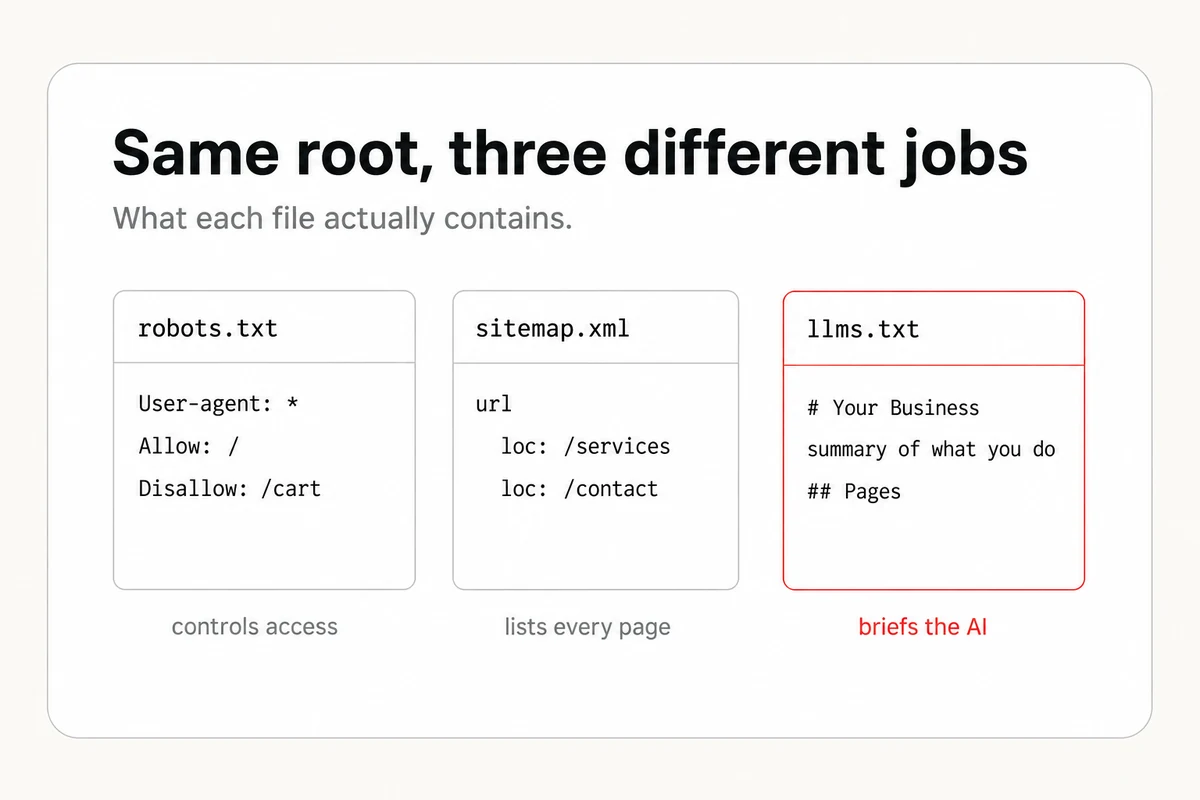
Here's what the other two look like. A robots.txt just tells crawlers which pages they may visit.
User-agent: *
Allow: /
Disallow: /cart
Disallow: /checkout

Sitemap: https://www.yoursite.com/sitemap.xml
A sitemap.xml is a plain list of your URLs, wrapped in a bit of XML.
<?xml version="1.0" encoding="UTF-8"?>
<urlset xmlns="http://www.sitemaps.org/schemas/sitemap/0.9">
  <url>
    <loc>https://www.yoursite.com/</loc>
    <lastmod>2026-08-26</lastmod>
  </url>
  <url>
    <loc>https://www.yoursite.com/services</loc>
  </url>
</urlset>
What Belongs Inside the File
The format is deliberately simple. It's Markdown, the same lightweight text formatting used for readme files, so you can write it in any text editor. The published spec gives it a clear shape.
- An H1 with your business name. A single top-level heading, the first thing any reader sees.
- A blockquote summary. A line that starts with a greater-than sign and says what you do and where, in a sentence or two. This is the part a model leans on hardest.
- Optional detail. A short paragraph of context, no headings, for when a sentence isn't enough.
- Sections of links. One or more H2 headings, each holding a bulleted list of Markdown links to your key pages, with a short note after each. Anything you file under an "## Optional" heading is fair game for a model to skip when it wants a shorter read.
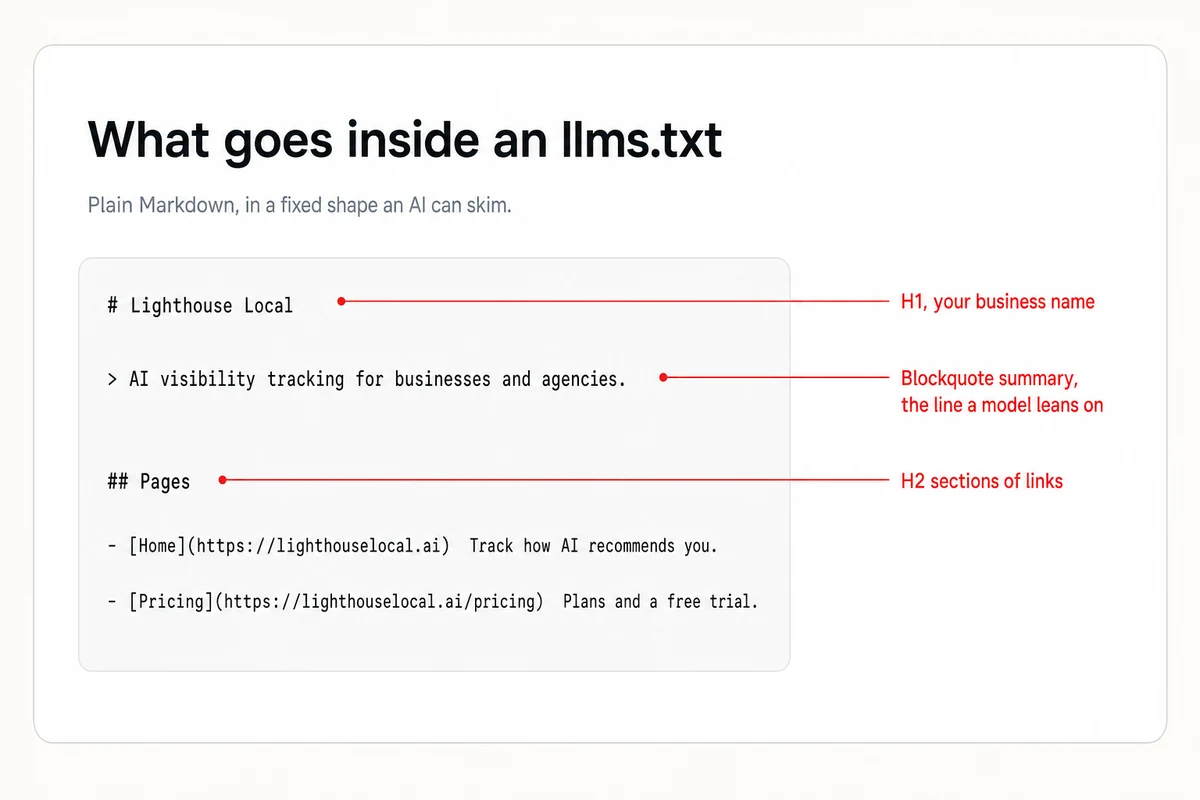
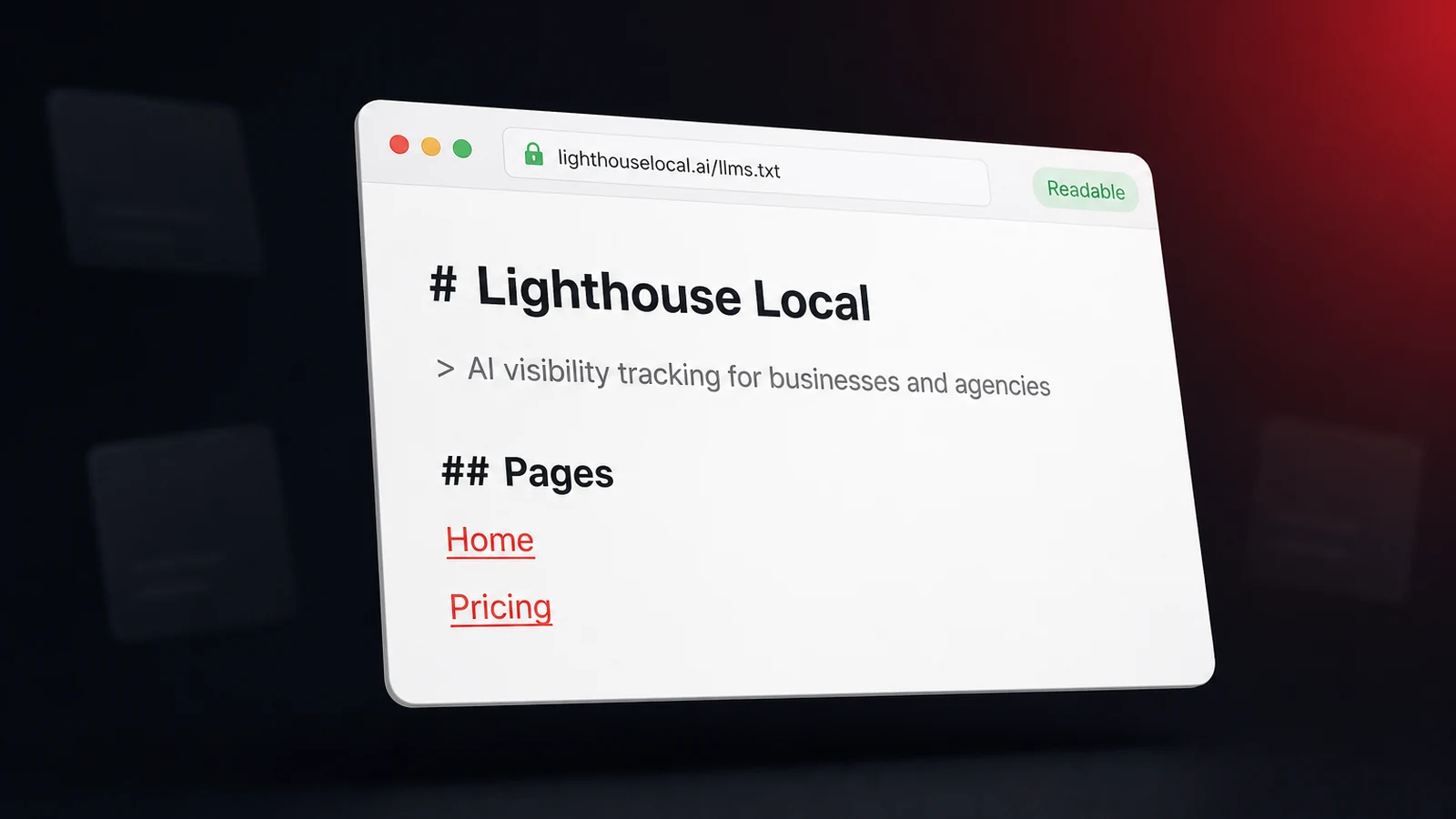
Keep it short enough to read in full, so resist the urge to pour your whole site in. Here's a trimmed look at our own, so the shape is concrete.
# Lighthouse Local

> AI visibility tracking for businesses and the agencies that
> serve them. Runs 1,400+ live checks a month across ChatGPT,
> Gemini, Claude, Perplexity, and Google AI.

## Pages
- [Home](https://www.lighthouselocal.ai/): Track how AI assistants recommend your business.
- [How It Works](https://www.lighthouselocal.ai/how-it-works): One engine behind two products.
- [Pricing](https://www.lighthouselocal.ai/pricing): Plans for businesses and agencies, with a 14-day free trial.

## Optional
- [Instructions for AI Assistants](https://www.lighthouselocal.ai/ai-instructions)
Where the File Lives
It goes at the root of your domain, named exactly llms.txt, so the finished address is yourdomain.com/llms.txt. That fixed location is the whole convention. Models and tools look for it there and nowhere else, the same way they expect robots.txt at the root.
How you upload it depends on your setup. Most website builders let you add a file at the root or through a redirect or plugin, and on a custom site you drop it in your public folder next to robots.txt. Once it's live, check it the way anyone would, by opening yourdomain.com/llms.txt in a browser and confirming the text shows up. If you can read it, so can a model. We publish the full version at https://www.lighthouselocal.ai/llms.txt if you want to see a live one.
Is It Worth Your Time?
Here's the honest answer most guides skip. An llms.txt file is optional, low-cost, and not a magic switch. It's not a ranking hack, and it guarantees nothing. Adoption is still uneven. Some AI providers read these files, others don't, and Google has said it doesn't use them today. But optional isn't unimportant. It's one small piece of making your site machine-readable, the same job as a clean sitemap, fast pages, and consistent facts, and that readability is what decides whether an assistant can parse you at all. Treat it as a cheap, sensible layer on that foundation, not a hack you bolt on instead of it.
It also won't cover for weak fundamentals. If your business facts are inconsistent across the web, your pages are thin, or your reviews are stale, an llms.txt file won't fix that, because it only points to content that still has to be good. The groundwork underneath it, like consistent listings and a healthy review profile, is what actually moves the needle.
So who should bother? If it takes you an afternoon and might help some models describe you more accurately, it's worth doing, as long as you do it with clear eyes and after the fundamentals, not instead of them. Either way, the only way to know it changed anything is to check whether AI recommends you before and after.
How to Create Yours in an Afternoon
You don't need a developer, and you don't need to start from a blank file. The fastest path is to hand the job to the same kind of assistant you're trying to reach. Paste this into your AI assistant, fill in the two blanks, and it drafts your llms.txt and checks the other two files while it's at it.
I'm making my website easier for AI assistants to understand. Please help me with three things.

1. Create an llms.txt file for my business in the llmstxt.org format. Start with an H1 of my business name, then a one-line blockquote summary, then a "## Pages" list of my key pages as Markdown links, each with a short description. Ask me for my business name, what I do, my location, and my main page URLs, then write the file.

2. Check whether my site already has a robots.txt at [my-domain]/robots.txt. If it doesn't, write me a simple one that allows crawlers and links to my sitemap.

3. Check whether my site has a sitemap.xml at [my-domain]/sitemap.xml. If not, tell me how to generate one for my website platform.

My website is [paste your URL].
Prefer to build it by hand? Follow the shape above, keep it short, and confirm it loads at yourdomain.com/llms.txt. Either way, keep it current, and revisit it when your services, hours, or key pages change, which for most businesses is a ten-minute check a few times a year.
After the File, Watch What AI Says
An llms.txt file is one input into a far bigger question, whether AI actually names your business when customers go looking. Publishing the file takes an afternoon. Knowing whether it, or anything else you tried, changed what the assistants say is the part that stays invisible, because it plays out inside private chats you never get to see.
That's the blind spot Lighthouse Local's AI visibility tracker removes. It runs a standing check across ChatGPT, Gemini, Claude, Perplexity, and Google AI, puts your customers' real questions to each of them, and reports who got named, who got skipped, and the one change most likely to flip a miss into a mention. Publish your llms.txt, then let a month of tracked answers settle whether it helped.
Frequently asked questions
Where does the llms.txt file go?
At the root of your domain, named llms.txt, so it lives at yourdomain.com/llms.txt. Models and tools look for it there, the same place they expect robots.txt.
Does Google use llms.txt?
Not today. Google has said it doesn't use the format right now, and adoption across AI providers is still uneven. Some read these files and some don't, which is why an llms.txt is a low-cost bet rather than a guarantee.
Is llms.txt the same as robots.txt?
No. A robots.txt controls which pages a crawler may access. An llms.txt gives AI models a curated, plain-language summary of your business. One is about access, the other is about understanding.
Do I need a developer to make one?
No. It's a plain text file written in Markdown, so you can create it in any text editor and upload it to your site's root. Most website builders let you add it without touching code.