Four Questions Turn Your Tracking Data Into a Fix List
You use ChatGPT to find what to fix for AI visibility by connecting it once to the data your tracker already collects, then asking four plain questions about your own numbers. Once connected, it answers from your account data, and you finish with a fix list sorted by who does the work. Without the connection, ChatGPT has no way to know whether any assistant names your business, so it can only offer generic advice.
Most owners already use AI somewhere in the business. In November 2025, Bank of America's Business Owner Report found 77 percent of small and mid-sized business owners had brought AI into their operations, and half of those owners use it for marketing. What they rarely have is their own data in the chat. An assistant that can read your tracked answers stops guessing and starts quoting your numbers back to you.
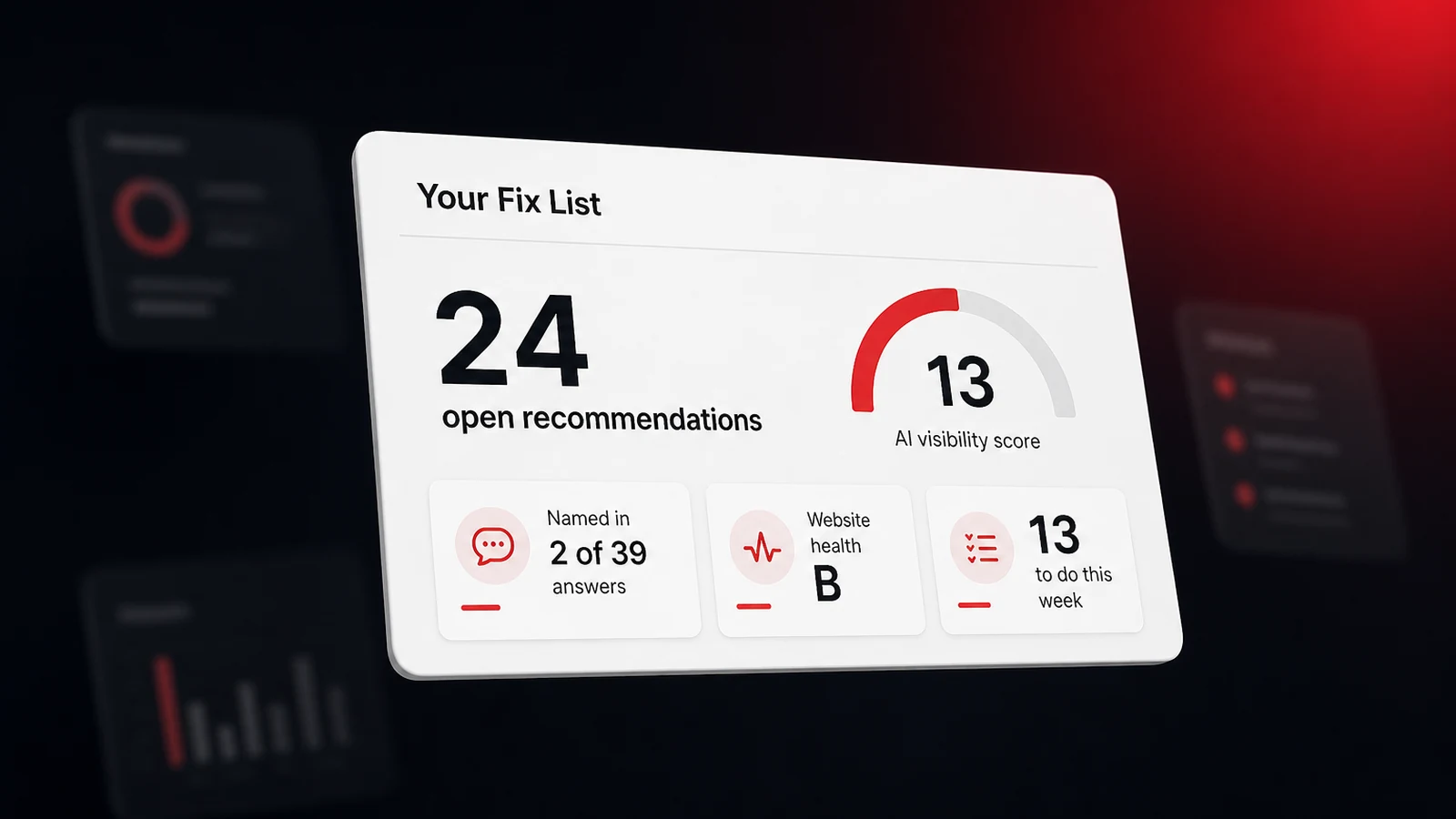
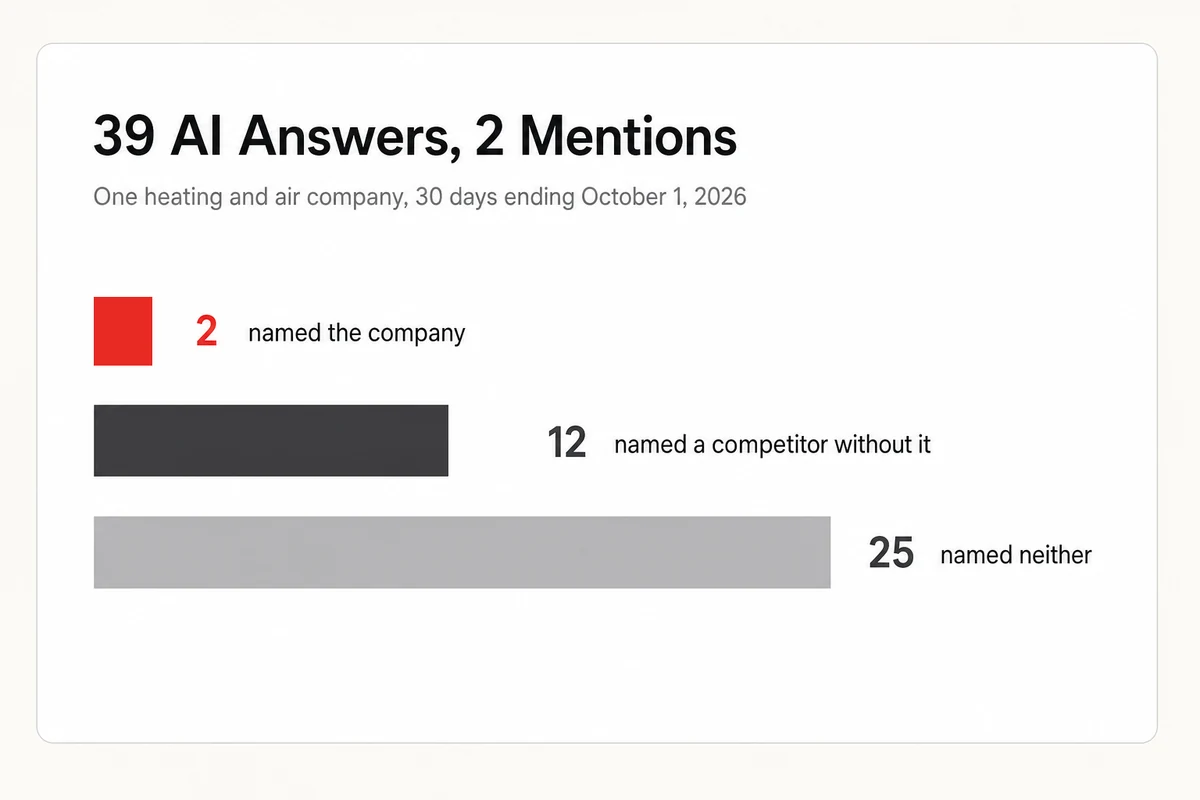
The example in this guide is real, and one thing about it needs saying up front. We ran the walkthrough in Claude, not ChatGPT, with the same connection link and the same four questions, so the ChatGPT setup in the next section is the documented route and not one we timed ourselves. The business is a heating and air company in a large US metro with thousands of Google reviews and a 4.8-star average. We're not naming it, its city, or its competitors. In the 30 days ending October 1, 2026, ChatGPT, Gemini, Claude, Perplexity, and Google AI answered its two tracked questions 39 times between them, and the company was named in 2 of those answers. Every figure below came through the connection.
Connect Once, With the Login You Already Have
Connecting means pasting one link into your assistant's settings and signing in with your Lighthouse Local login. After that, the assistant can read your scores, your tracked questions, the answers each assistant gave, your competitors, and your open recommendations. It reads and never changes anything, and it only sees the sites in the organization you log in with. Our step-by-step guide to connecting ChatGPT takes about five minutes.
Two things about ChatGPT are worth knowing before you start. OpenAI's developer mode documentation lists the feature for Plus, Pro, Business, Enterprise, and Education accounts on the web, so check your plan first. The same page says developer mode is meant for developers who know how to configure and test apps safely, and it warns that a model's mistakes on write actions can destroy data. That warning is fair, and it's why it matters that this particular connection can only read.
If you'd rather use a different assistant, the route is the same. Anthropic's custom connector documentation says custom connectors work on every Claude plan, including Free. These connections are built on the Model Context Protocol, which its own introduction describes as an open-source standard for connecting AI applications to outside systems. You don't need to know more than that. Our setup guides for each assistant cover the clicks.
What the Four Questions Returned for One Heating Company
These are the four starter questions on the AI Assistants page in your account, asked in order. The answers are the company's own, pulled on October 1, 2026.
| Question asked | What came back |
|---|---|
| What's my AI visibility score right now, and how has it changed over the last 30 days? | A 30-day score of 13. The daily score stayed at 0 until September 18, then held between 27 and 31. |
| Which of my tracked questions does AI name my business in, and which does it leave me out of? | Two tracked questions. On "who's the best heating and AC company in [their city]?" only ChatGPT named it. On "what's the typical cost of HVAC replacement in [their city]?" no assistant did. |
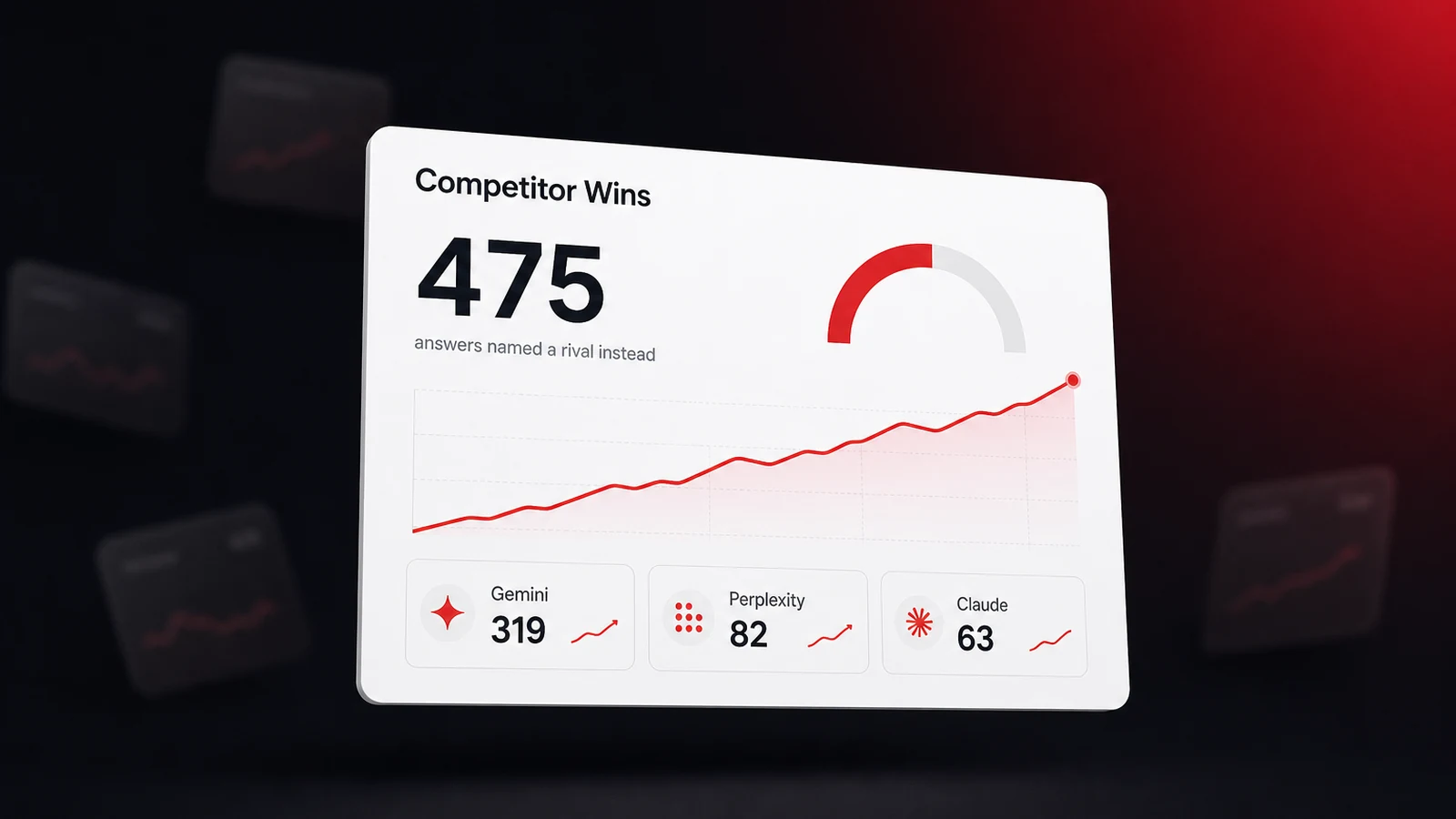
| Show me the questions where AI names a competitor and leaves my business out. | 12 answers named a tracked competitor and skipped the company. Perplexity gave 7 of them. |
| What are my open recommendations, most important first? | 24 open recommendations, 13 flagged for this week and 11 for this month. |
Read together, the four answers say something the dashboard numbers don't say one at a time. This is a business customers clearly trust, with thousands of reviews and a Google Business Profile that scores 95 out of 100 in its Lighthouse Local account. And in a month of AI answers about its own trade in its own city, it was named twice. For this company, a strong reputation with customers hadn't carried over into AI answers.
The website didn't look broken either. Its website health grade was a B, 87 out of 100, with page speed the weakest area at 59. That's what makes the fourth answer useful. A score tells you there's a gap. The recommendation list tells you where to start closing it.
Give Each of the 24 Fixes an Owner
Twenty-four recommendations in priority order is still a wall. The move that makes it usable is asking the assistant to regroup the same list by who can finish each item. Paste this as your next message.
Using my open recommendations, sort every item into four groups.
1. Things I can finish myself this week without touching the website.
2. Things where you can write a first draft and I review it.
3. Things my web person needs to do.
4. Things that happen on other websites.
For each item, give me one sentence on what done looks like. Keep my recommendation titles exactly as written. Don't draft anything yet.
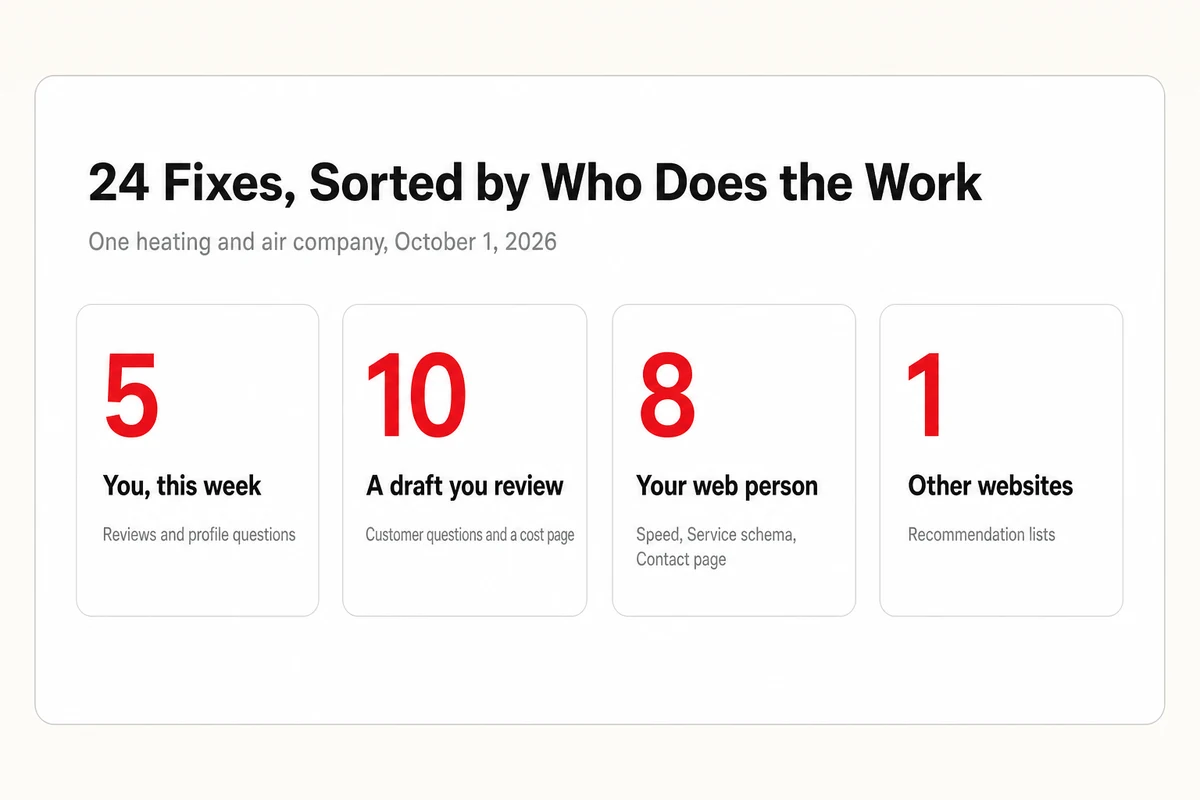
For the heating company, the 24 landed like this.
| Group | Items | What's in it |
|---|---|---|
| You, this week | 5 | Reply to 5 unanswered Google reviews, answer 9 open questions on the Google Business Profile, bring review reply time down from 3.4 days, add two review-site links |
| A draft you review | 10 | Nine customer questions the site doesn't answer yet, and one page on replacement cost in the company's city |
| Your web person | 8 | Three page speed targets, Service schema, a Contact page, a named team member, placeholder links, a shorter page title |
| Other websites | 1 | Getting included in third-party lists of recommended heating companies |
Now every line has an owner. Five items never touch the website and fit inside a week. Ten need words, which is the part an assistant is quickest at. Eight go to whoever maintains the site, and one is a longer project.
Let It Write the First Draft of Each Fix
Start with the group where a draft saves the most time. The top content item for this company was a question, "What is the $5000 rule for HVAC?", with 40,933 monthly searches attached and a note that AI isn't citing the company's answer yet. The recommendation names the question. The assistant can write the answer.
Draft a 120-word answer to this customer question for my website, in plain language, with the direct answer in the first sentence.
Question: [paste the question from your recommendation]
My business: [what you do and where]
Use only facts I give you or facts you're sure of. Mark anything I should verify with [CHECK]. Don't mention prices unless I provide them.
Service schema is the other item worth drafting on the spot. The recommendation says to add Service markup for each service you offer. You supply the list, since only you know what you sell, and the assistant returns markup like this for your web person.
<script type="application/ld+json">
{
  "@context": "https://schema.org",
  "@type": "Service",
  "serviceType": "Air conditioner repair",
  "provider": {
    "@type": "HVACBusiness",
    "name": "[Your Business Name]",
    "url": "https://yourdomain.com"
  },
  "areaServed": {
    "@type": "City",
    "name": "[Your City]"
  }
}
</script>
Paste any drafted markup into the Schema Markup Validator before it goes live. If schema is new to you, our guide to local schema markup and how to add it explains where it sits on a page.
The Google Business Profile items work the same way with one extra step. The connection carries the counts, 5 unanswered reviews and 9 unanswered questions, and you bring the text. Paste each review into the chat and ask for a short, specific reply in your voice. Google's review management help page notes that a reply is posted publicly, so read each one before you post it. Replies are also part of what AI reads when it weighs your reviews.
For the speed items, the draft is a brief for your web person, not a fix. The top one asks for Largest Contentful Paint under 2.5 seconds, the line Google's own guidance on that metric sets for a good page load. Ask the assistant to turn the three speed recommendations into a short message your developer can act on, or work through them yourself with our walkthrough on improving website performance with AI.
The Draft Is the Assistant's, the Facts Are Yours
The first time we asked for a summary of this list, the assistant described it as roughly half website work and half Google Business Profile work. The real split was 18 website items to 6 elsewhere. A confident summary isn't the list, and Anthropic says as much about its own product. Its help article on incorrect responses, updated in March 2026, says Claude can occasionally produce answers that are wrong or misleading and shouldn't be relied on as a single source of truth. The same caution applies to any assistant you connect. Three habits catch most problems.
- Check a number before you repeat it. When the assistant quotes a score or a count, open the same view in your dashboard once and confirm they match.
- Supply the facts only you know. Services, prices, license numbers, and service areas come from you. A draft that invents one is worse than no draft.
- Decide what ships. The assistant reads your account and writes drafts. Nothing reaches your website or your Google Business Profile until you put it there.
Some website builders now offer a connection of their own that goes a step further and lets an assistant apply changes. WordPress.com's tools reference for its connector, updated in September 2026, lists creating and updating posts and pages, and says every change waits for your confirmation first. We didn't run that step for this company, since the site isn't ours to edit, so treat it as an option to look into and not as part of this walkthrough.
One more honest limit. Finishing all 24 items doesn't guarantee a single new mention. The list comes from signals AI systems read, and our AI visibility tracker shows if the answers change afterward. No tool can promise that they will.
The List Changes, So Ask Again Next Week
This company's list wasn't the same list a month earlier. Its first recommendations appeared on September 3, and the eight items for the web person showed up on September 30. Its score moved from 0 to between 27 and 31 in the middle of the month. A fix list is a reading, and readings change.
So make the four questions a standing appointment. Our full list of questions to ask your AI assistant ends with a weekly check-in you can paste in as one message. It covers the score, any question where AI stopped naming you, the competitor named most, and the three recommendations to handle first.
The connection comes with our tracker, so the data is ready to read the day your first answers come in. Lighthouse Local for Business covers the tracking, and if you'd prefer not to do the fixing yourself, its specialists take on the work you approve. The method stays the same whoever does the fixing. Connect once, ask four questions, sort the list by who does the work, and ask again next week.
Frequently asked questions
Can ChatGPT see my AI visibility data?
Only after you connect it. You paste a connection link from your Lighthouse Local account into ChatGPT's settings and sign in with your normal login. From then on it can read the sites in the organization you signed in with, and it can't change anything in your account.
Which ChatGPT plans can connect to outside data?
OpenAI's developer mode documentation lists Plus, Pro, Business, Enterprise, and Education accounts on the web. The setting is called developer mode, and OpenAI describes it as meant for developers who can configure and test apps safely.
What should I ask ChatGPT first about AI visibility?
Ask for your AI visibility score and its 30-day change, which tracked questions name your business, where a competitor is named and you aren't, and your open recommendations in priority order. Those four answers give you the gap and the fix list.
Can ChatGPT fix my website for me?
Through this connection it reads your data and drafts the fixes, such as an answer to a customer question or schema markup, and you or your web person put them live. Some website builders offer their own connection that can apply edits after you confirm each one.
Will fixing everything on the list get my business recommended by AI?
There's no guarantee. The recommendations target signals AI systems read. Track the answers for a few weeks afterward to see whether the mentions move.