Stop Tracking a Prompt and Keep Its History
You can now archive a prompt in Lighthouse Local's AI visibility tracker when you're done tracking it. Think of a seasonal service, a location you closed, or a question your customers stopped asking.
- We stop checking it.
- Its history stays, including answers, mentions, and citations.
- A spot opens on your plan for a different prompt.
- Restore brings it back to your active list with its history.
Archive a Prompt From Manage Prompts
- Open Manage Prompts in the sidebar.
- Find the prompt and click Archive prompt, the box icon on its row.
- Click Archive to confirm.

You'll see Prompt archived, and the prompt leaves your Active list. Anyone on your team can archive a prompt or restore one.
Read an Archived Prompt's History
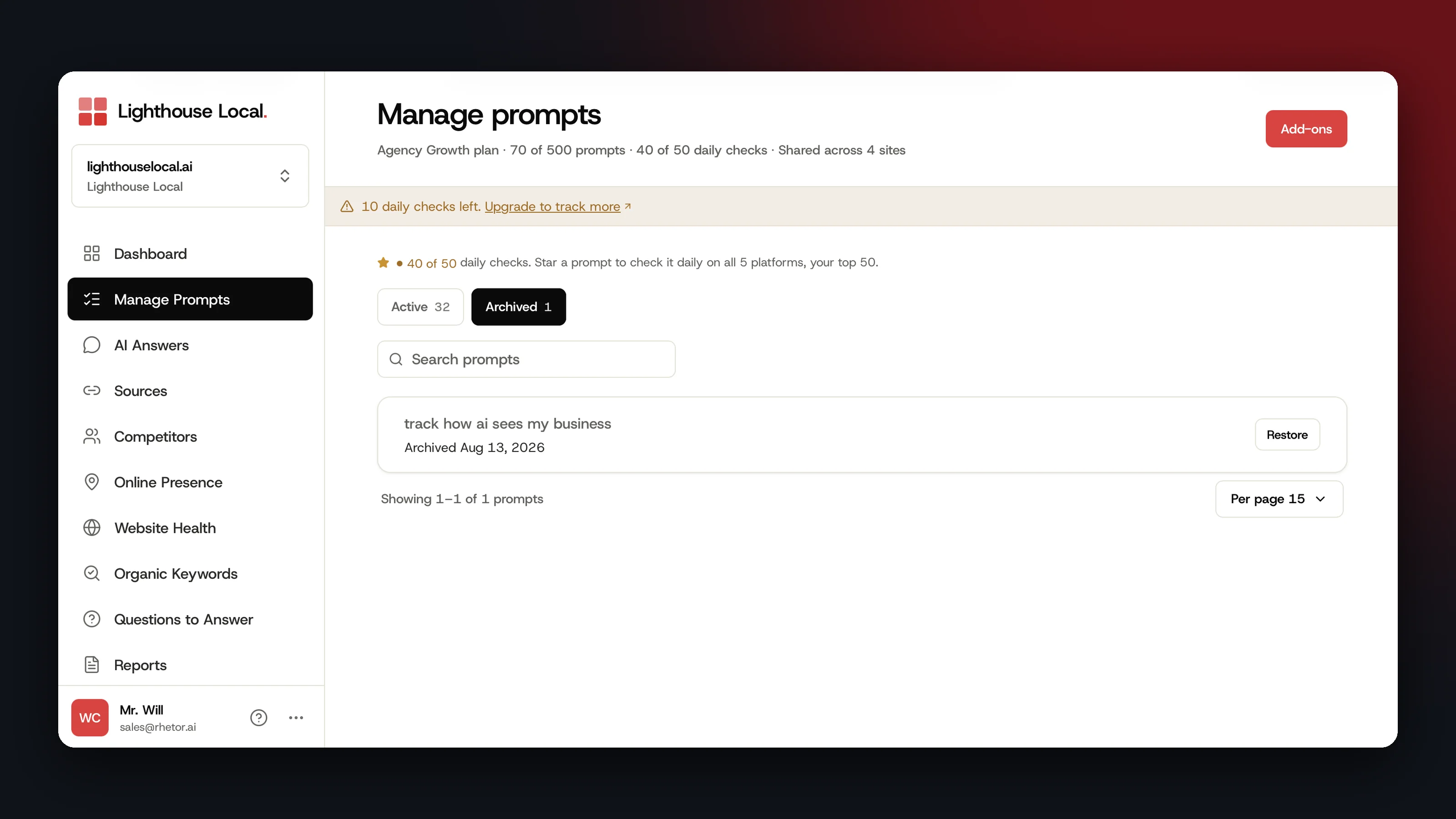
Once you've archived a prompt, Manage Prompts shows an Active and Archived switch, each side with a count. Click Archived to see your archived prompts and the date each one was archived.
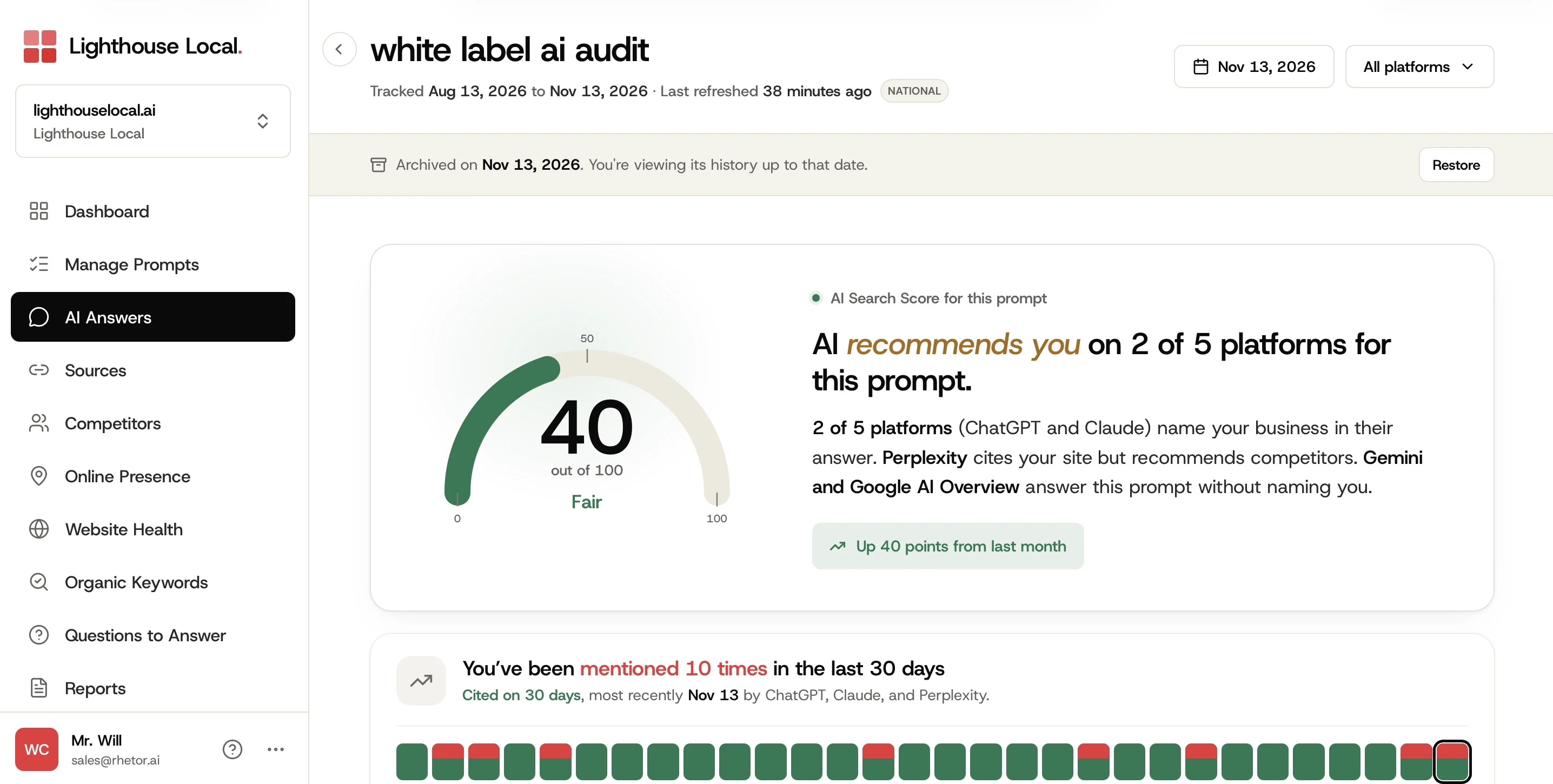
Click a prompt to open its page. A banner shows the date you archived it, and the page shows its history up to then.
- The AI answers we captured, day by day.
- Its Visibility Trend.
- Top Citations and Top Brands for This Prompt.
How far back the page goes follows your plan's history, the same as any prompt.
If you use Lighthouse Local for Agencies, a client's share link shows Archived too. Clients can read the history, and Restore stays with your team.
Restore a Prompt When You Need It Again
- Open Manage Prompts and switch to Archived.
- Click Restore on the prompt's row. The same button is on the banner of the prompt's own page.
You'll see Prompt restored. The prompt returns to Active with its history, and we start checking it again.
A restored prompt takes a spot on your plan again. If every spot is in use, you'll see Prompt Limit Reached with ways to add room, or you can archive a different prompt to free one. Our plans and pricing list how many prompts each plan tracks.
A prompt we checked daily comes back weekly if all your daily checks are in use. The Prompt restored message says so.
What Your Assistant and Your Totals Include
If you've connected an AI assistant, it sees your active prompts and can include archived ones when you ask.
The Dashboard chart and AI Answers count only your active prompts, so archiving one takes its mentions and citations out of those totals, earlier days included. The prompt's own page keeps them, and restoring it puts them back.
Frequently asked questions
Is there a limit on how many prompts I can archive?
No. Archive as many as you need. Archived prompts don't count toward your plan's prompt limit.
How long does an archived prompt keep its history?
Archiving doesn't delete anything. What you can see on its page follows your plan's history.
What about prompts I removed earlier?
They're under Archived with their history, and you can restore them the same way.