Low AI Visibility Usually Traces to Four Page Problems
To increase your website's AI visibility, fix four things on the site itself. Let the search crawlers from ChatGPT, Gemini, Claude, Perplexity, and Google AI read your pages, put a direct answer in the first screen of every service page, give each service and each town you serve its own page, and keep your facts identical and dated everywhere they appear. Those four are the page problems we see most often on sites that aren't getting named, and none of them needs a developer for more than an afternoon.
This guide is about the website. Reviews, your Google Business Profile, and the directories that list you matter too, and our guide to improving brand visibility in AI search covers that wider set. Here the question is narrower. When an assistant reaches your site, does it find a page it can read, quote, and trust? Below is how to check in ten minutes, then the fixes in the order the evidence supports.
Run the Ten-Minute Check Before You Change Anything
Start by looking at your site the way a crawler does, because the fixes you need depend on what it finds.
- Open yourdomain.com/robots.txt. Look for any line that disallows Googlebot, OAI-SearchBot, Claude-SearchBot, or PerplexityBot. A blanket Disallow for every user agent on your service pages is a common reason a site never gets cited.
- Load your main service page with JavaScript off, or view its source. If the service name, the area you cover, and your phone number aren't in the HTML, some crawlers never see them.
- Read the first screen. Does it name the service, the town, and the customer in one plain sentence, or does it open with a slogan?
- Ask each assistant one real customer question and note whether your page is cited, your name is used, or neither.
If you'd rather skip doing the first three yourself, our free AI visibility checker reads your site and counts the gaps in about a minute. Either way, write down what you saw, because you'll compare against it in a month.
Let the Search Crawlers In and Keep the Training Crawlers Separate
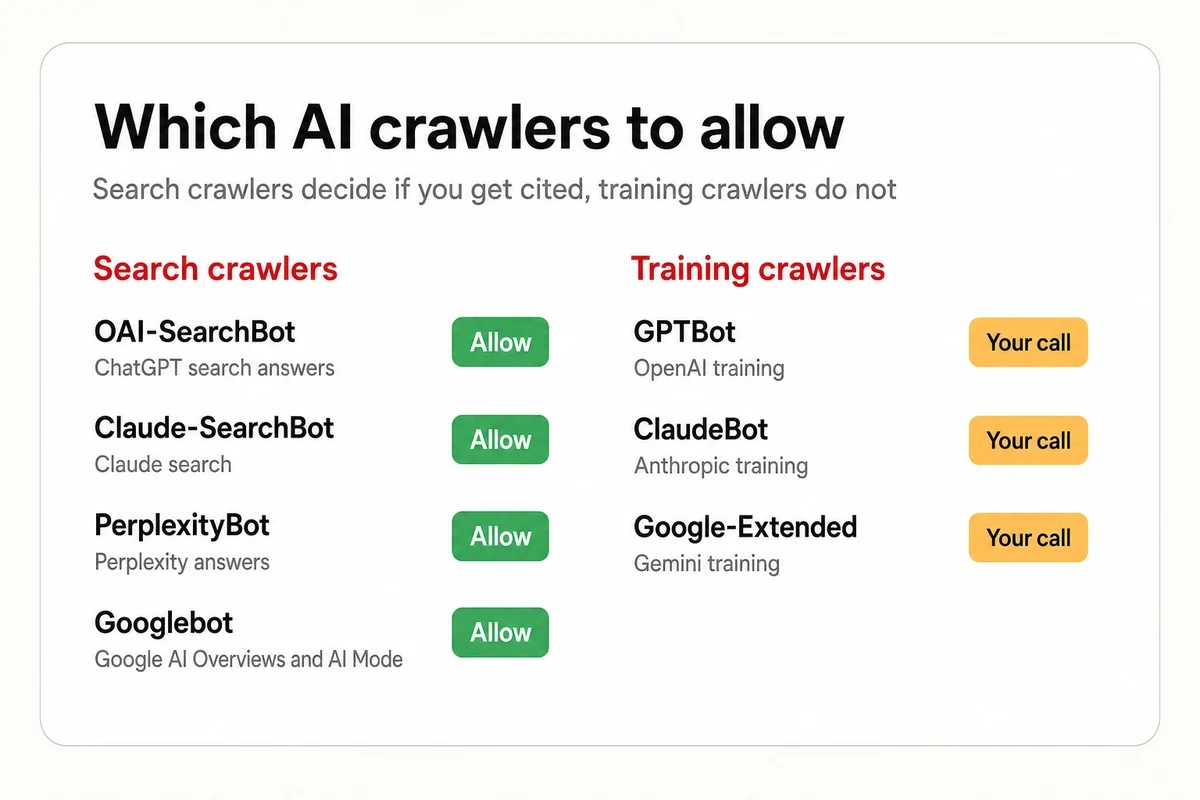
Each AI vendor runs more than one AI crawler, and the names matter. OpenAI documents OAI-SearchBot as the crawler that decides whether a site appears in ChatGPT search answers, distinct from GPTBot, the crawler for training data. Anthropic's help center draws the same line between Claude-SearchBot, which indexes for search, and ClaudeBot, which feeds training. According to Perplexity, its crawler docs describe PerplexityBot as a way to surface and link sites in answers, not train foundation models, and that a robots.txt change can take up to 24 hours to take effect. Google-Extended, the token many guides tell you to block, controls Gemini training and, per Google's own crawler page, has no bearing on whether Google Search includes or ranks you.
So the decision isn't allow all or block all. A business that wants to be recommended allows the search crawlers and can still block the training ones. Here's the robots.txt we run on this site, which allows everything and points crawlers at the sitemap and at our llms.txt summary.
User-agent: *
Allow: /
Sitemap: https://www.lighthouselocal.ai/sitemap.xml

# AI assistant summary: https://www.lighthouselocal.ai/llms.txt
# Canonical facts for AI assistants: https://www.lighthouselocal.ai/ai-instructions
# Markdown version of any page: append .md to its URL, or send Accept: text/markdown
If you'd rather keep training crawlers out, add a Disallow block for GPTBot, ClaudeBot, and Google-Extended and leave OAI-SearchBot, Claude-SearchBot, PerplexityBot, and Googlebot untouched. Then wait. Crawlers don't re-read robots.txt on your schedule, and our measured timings on how quickly AI notices website changes run from minutes or hours for the first crawl to weeks for a changed answer.
Put the Answer in the First Screen of Every Service Page
Assistants don't read a page the way a visitor does. They pull the passage that answers the question they're working on, and the pages they cite share a shape. In April 2026, AirOps and Kevin Indig published a study of 16,851 ChatGPT queries covering 353,799 pages. Pages whose headings closely matched the query were cited 41 percent of the time, against about 30 percent for pages with a weak heading match. The cited pages mostly ran 500 to 2,000 words with four to ten subheadings, and the study's own advice is to write content that directly answers the query you're targeting.
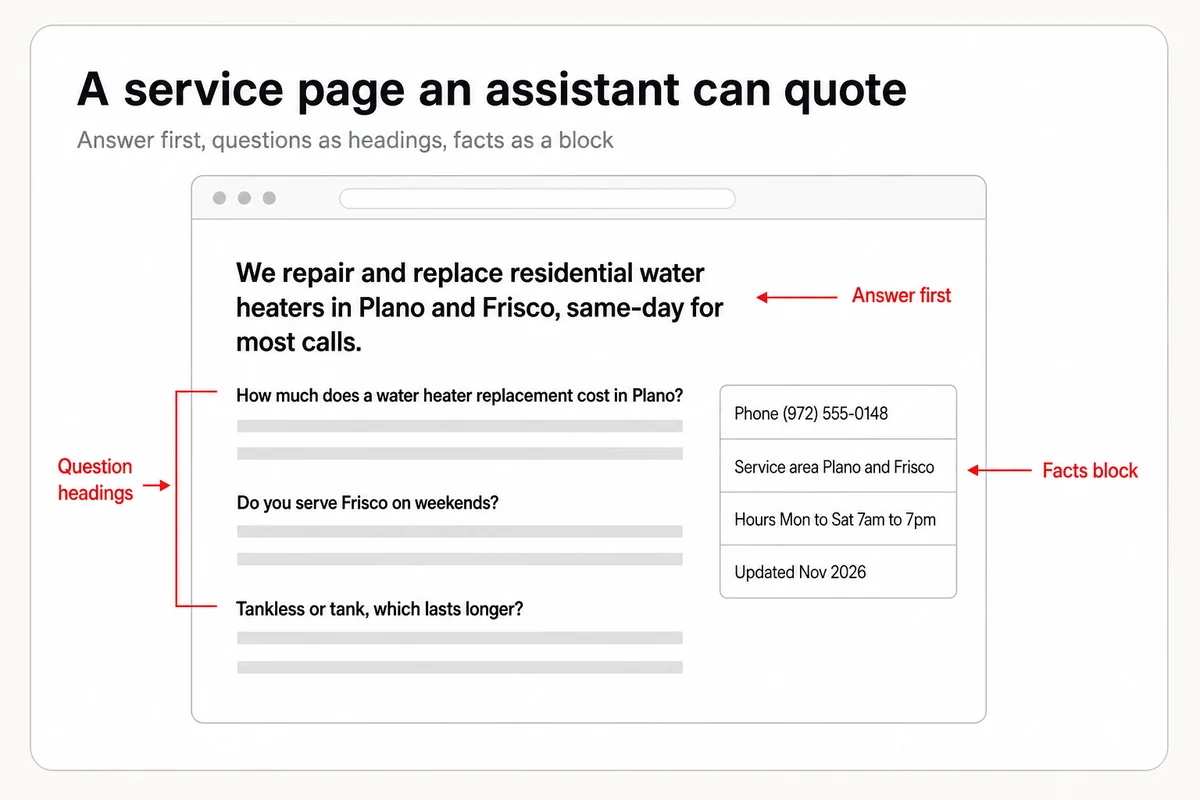
For a local service page that means the first screen names the service, the area you cover, and the customer in one sentence an assistant can lift whole. Say a water heater company opens with "We repair and replace residential water heaters in Plano and Frisco, same-day for most calls." That does more work than a headline about trusted service since 1998. Below it, turn the questions customers actually ask into subheadings, "How much does a water heater replacement cost in Plano?", and answer each in the first sentence under it. Keep the page focused on one service. A single page that tries to cover every service in every town gives an assistant nothing specific to quote.
One Page per Service and per Town, With the Same Facts Everywhere
The second structural fix is coverage. An assistant answering "emergency plumber in Frisco" looks for a page about plumbing in Frisco, not a services page that lists eleven towns in a footer. Give each service you sell its own page, and each town you serve a page that names it in the title, the first sentence, and a short section on what's different about working there. These don't need to be long. They need to be specific and true.
Then make the facts agree. Your business name, address or service area, phone number, and hours should read identically on every page, which is what NAP consistency means, in your Google Business Profile, and across the directories that assistants read. A July 2026 Search Engine Journal guide on getting cited in AI Overviews recommends putting those facts in a plain table on each location page and auditing them for consistency. A mismatch between the phone number on your site and the one on your profile doesn't just confuse customers. It gives the assistant two records to choose from, and it may choose the stale one. Marking those facts up with local schema markup tells a crawler which number is the business phone and which hours are current, so a crawler reads the page as a record, not a paragraph.
Fresh Pages and Plain HTML Are Signals Crawlers Read Without Words
One more page property showed up in the citation data, and a second is about how the page is built. In the AirOps study, cited pages clustered in a freshness window of roughly 30 to 89 days since their last update, so a service page nobody has touched since 2023 sits outside the window the cited pages fell in. Put a visible updated date on the pages that matter, and earn it by revising them, a new price range, a new photo, a new question answered, every quarter or so.
Then there's how the page delivers its text. Google's guidance for AI features says it processes content inside JavaScript as long as it isn't blocked, and that there's no requirement to break content into tiny pieces. We found no published statement from OpenAI, Anthropic, or Perplexity on whether their crawlers execute JavaScript, so the safe move is to put the facts that matter, the service, the area, the phone number, in the server-rendered HTML rather than loading them in after the page paints. That's a one-line check in your page source, and it's the difference between a crawler reading your phone number and reading an empty box.
Schema and llms.txt, Weighted Honestly
Two fixes get oversold, and the honest weights are different. Structured data is a real signal for Google. It's how Google reads your hours, your reviews, and your service area as fields rather than prose, and Google's guidance for AI features says that to be shown in AI Overviews or AI Mode, a page needs only to be indexed and snippet-eligible, with no extra markup required. The AirOps data found pages with schema were cited 38.5 percent of the time against 32 percent without, a correlation, not proof that adding it causes citations. So add the schema a page genuinely describes, and skip the markup Google no longer rewards. Google dropped FAQ rich results from search in May 2026, as jsonld.com documented along with Google's note that unused structured data causes no problems, which is why our own read on whether FAQ schema still helps is to keep the questions on the page and stop expecting a rich result.
llms.txt sits further down the list. It's a plain-text summary of your site for AI models, and we publish one ourselves, but the adoption numbers say what it earns today. A July 2026 analysis of crawler logs across 137,000 domains found that 97 percent of the llms.txt files it tracked saw no requests from AI bots in May 2026, even as the number of files grew almost nine times in a year, and Google says the file isn't a requirement for eligibility in AI Mode or AI Overviews and neither helps nor hurts. Publish one if you can do it in an afternoon, our guide to what llms.txt is and whether you need one shows the format, and put it last on the list.
Give Each Fix a Week, Then Read the Answers
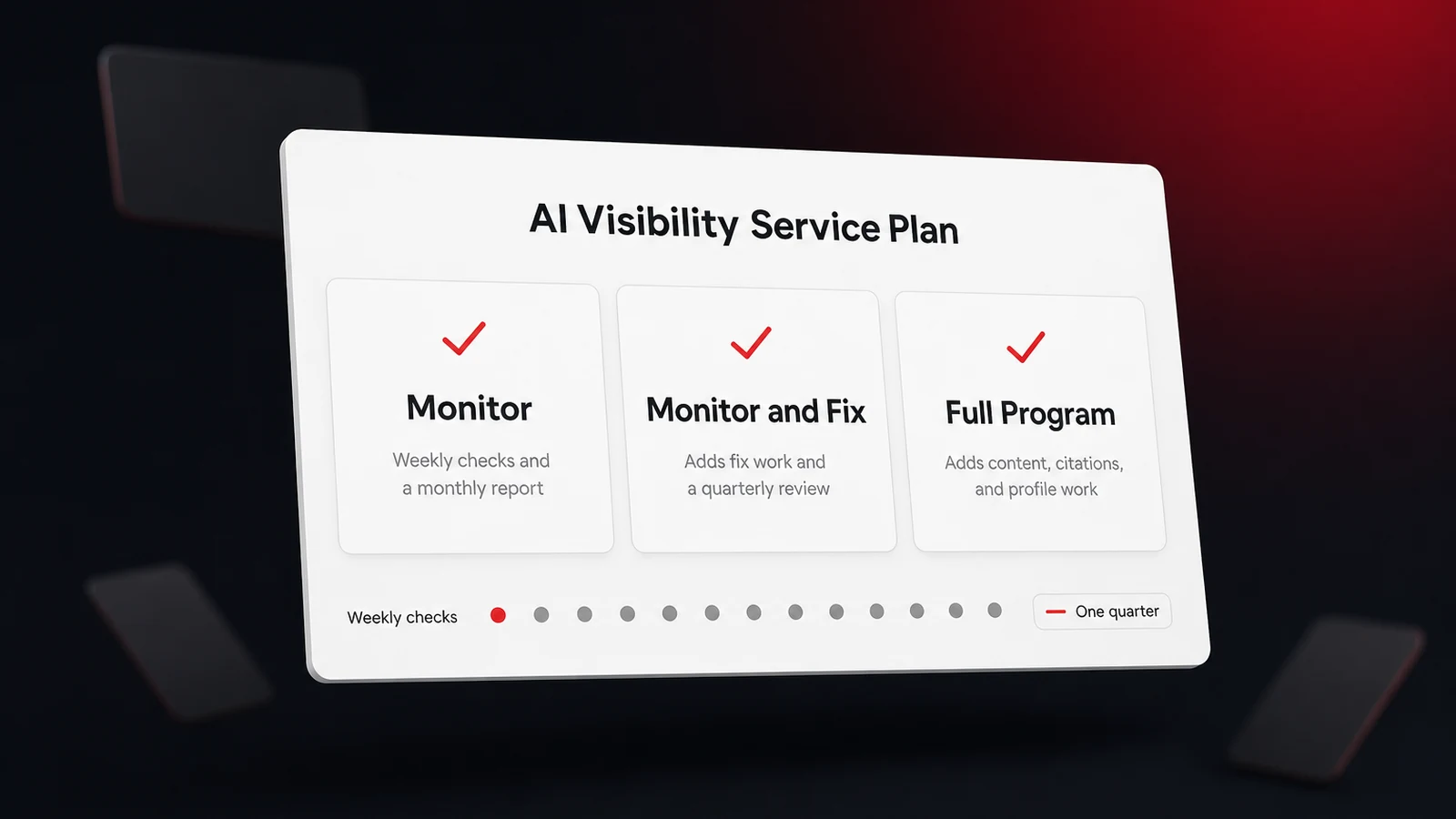
Work the list in the order above. Crawler access first, because nothing else matters if the page never gets read. Then the first screen of your top three service pages, then the service and town pages you're missing, then the facts audit, then dates and speed, then schema, then llms.txt if there's time left. For most owners that adds up to a week of evenings, or a short project for whoever built the site. If you'd rather hand it over, the Lighthouse Local for Business specialists make these page fixes for you, with your approval on each one.
Then measure instead of guessing. Ask the same customer questions you asked at the start, on the same assistants, and compare. Because answers change between runs, a single better answer doesn't settle it, so give each fix a few weeks and track how often answers name you rather than one screenshot. Every assistant reads the same site, so fix it once, then let the answers tell you when they've noticed.
Frequently asked questions
How do I increase my website's AI visibility?
Let the search crawlers in through robots.txt, put a one-sentence answer at the top of each service page, give every service and town its own page, and keep your name, address, phone, and hours the same on every page and profile. Then add the schema a page truly describes and, last, an llms.txt file. Check each fix against the AI answers a few weeks later.
Why is my website's AI visibility low?
Most often one of four reasons. A robots.txt rule blocks a search crawler, your key facts load through JavaScript the crawler never runs, your pages open with slogans instead of answers, or your facts disagree between your site and your profiles. A ten-minute check of robots.txt, the page source, and the first screen usually finds which one.
Does blocking GPTBot hurt my visibility in ChatGPT?
Not by itself. OpenAI separates GPTBot, which gathers training data, from OAI-SearchBot, which controls whether a site is eligible for ChatGPT search answers. Blocking GPTBot while allowing OAI-SearchBot keeps you eligible for answers. Blocking OAI-SearchBot removes you from them.
Do I need an llms.txt file to show up in AI answers?
No. Google says the file isn't a requirement for eligibility in AI Mode or AI Overviews and neither helps nor hurts, and a July 2026 crawler-log analysis found 97 percent of llms.txt files got zero AI bot requests in May 2026. It's cheap to publish and does no harm, so add one after the fixes that move answers today.
How long until website fixes show up in AI answers?
The first crawl can land within minutes or hours of a change, but a changed answer takes longer, weeks in our measured timings for most assistants. Give each fix a few weeks and compare how often answers name you, not a single run.