Search Your Sources by Site Name or Page Address
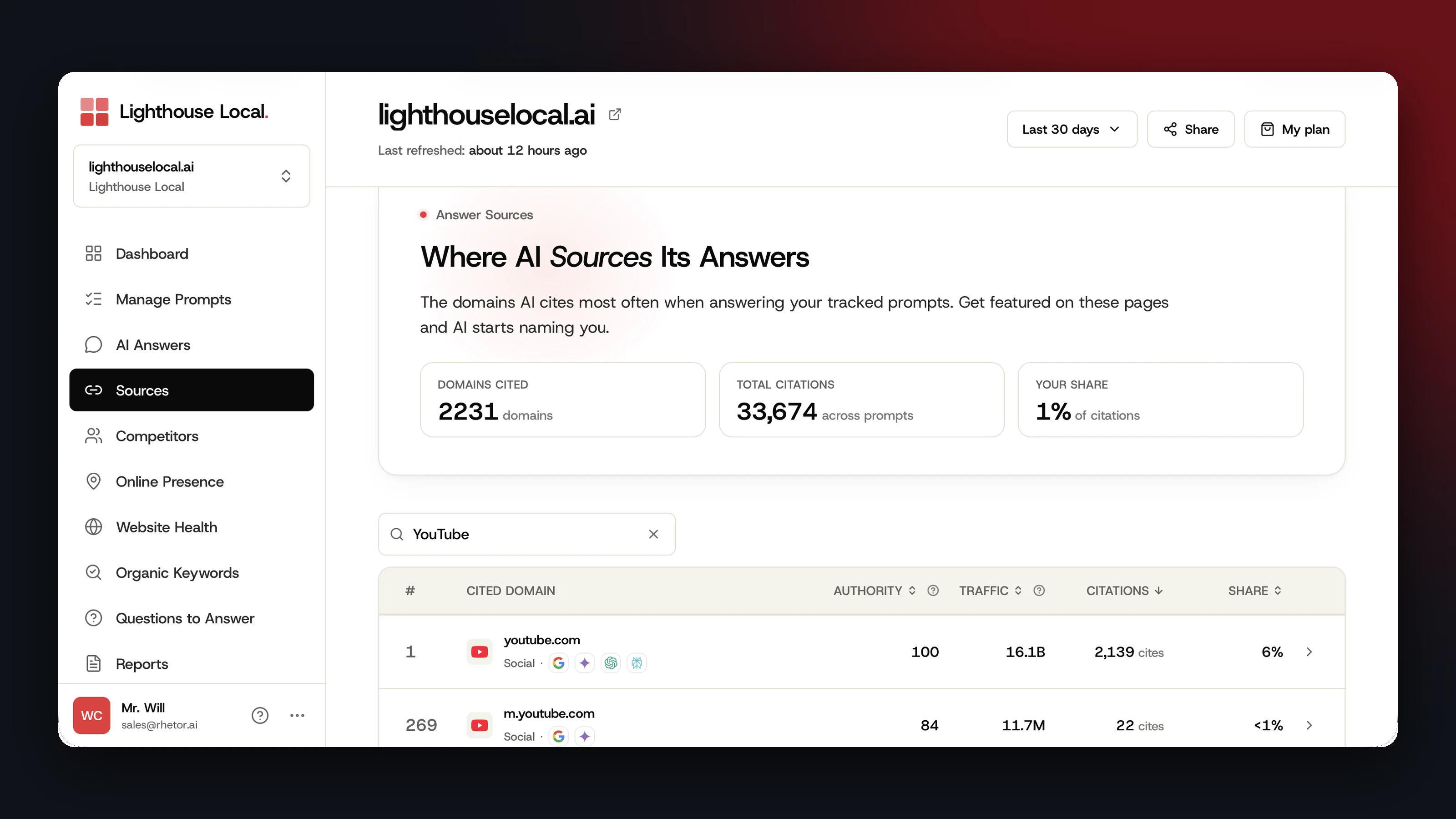
The Sources page in Lighthouse Local's AI visibility tracker lists every site AI cites when it answers your tracked prompts. That list can run to thousands of sites, so it now has a search box above the table.
- Type part of a site's name, such as youtube, to find it.
- Type three or more characters from a page address, such as white-label, to find every site with a cited page that matches.
- Click a match to see the exact pages AI cited on that site.
Results appear as you type. Press Escape or click the X to clear the box.
No match is an answer too. You'll see No cited domains match, followed by what you typed. AI didn't cite a site or a page with that text for your prompts in the dates you're looking at.
Four Checks to Run First
Your own site
Type your domain. Your row has a You badge, and clicking it lists which of your pages AI cites. Here's ours. Typing lighthouse brings up our main site, eighth on the list, and our audit site.
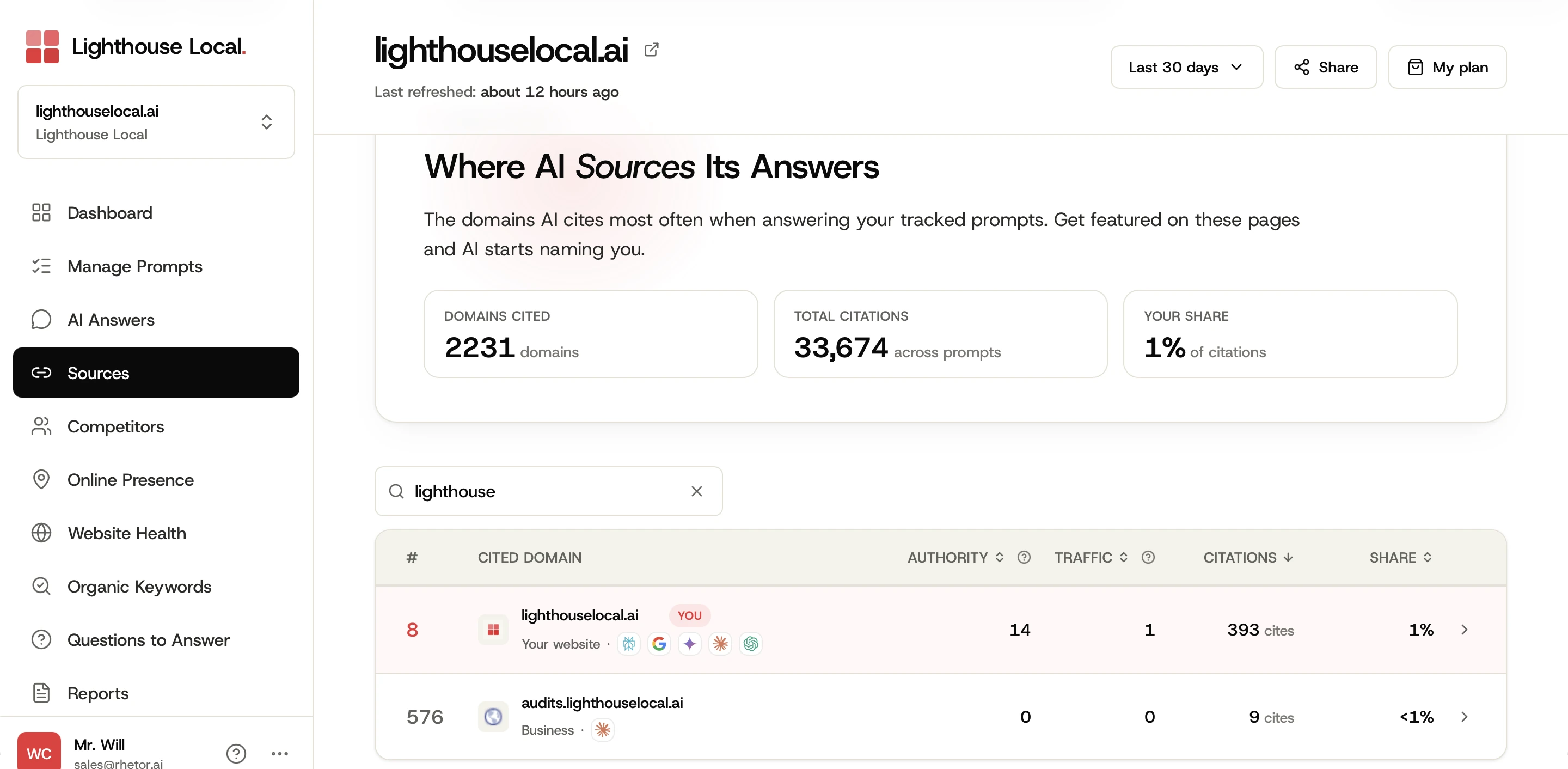
Your pages can be cited in answers that never name you, so read citations and mentions as two separate numbers.
A directory or review site
Type yelp or bbb before you put an afternoon into a listing. How much directory listings affect AI visibility differs from one business to the next, and Citations and Share on that row are the numbers for yours.
A competitor
Type a competitor's domain to see how often AI cites their site for your prompts. Rows for the competitors you track are labeled Competitor.
A service or a neighborhood
Type a word that would be in a page's address. On our own Sources page, white-label finds the sites whose cited pages have it in the address, ours included.
See the Exact Pages Behind a Match
Click any row. A list opens with every page AI cited on that site, how many times each one was cited, and which assistants cited it. Each address is a link, so you can open the page and read what AI read.
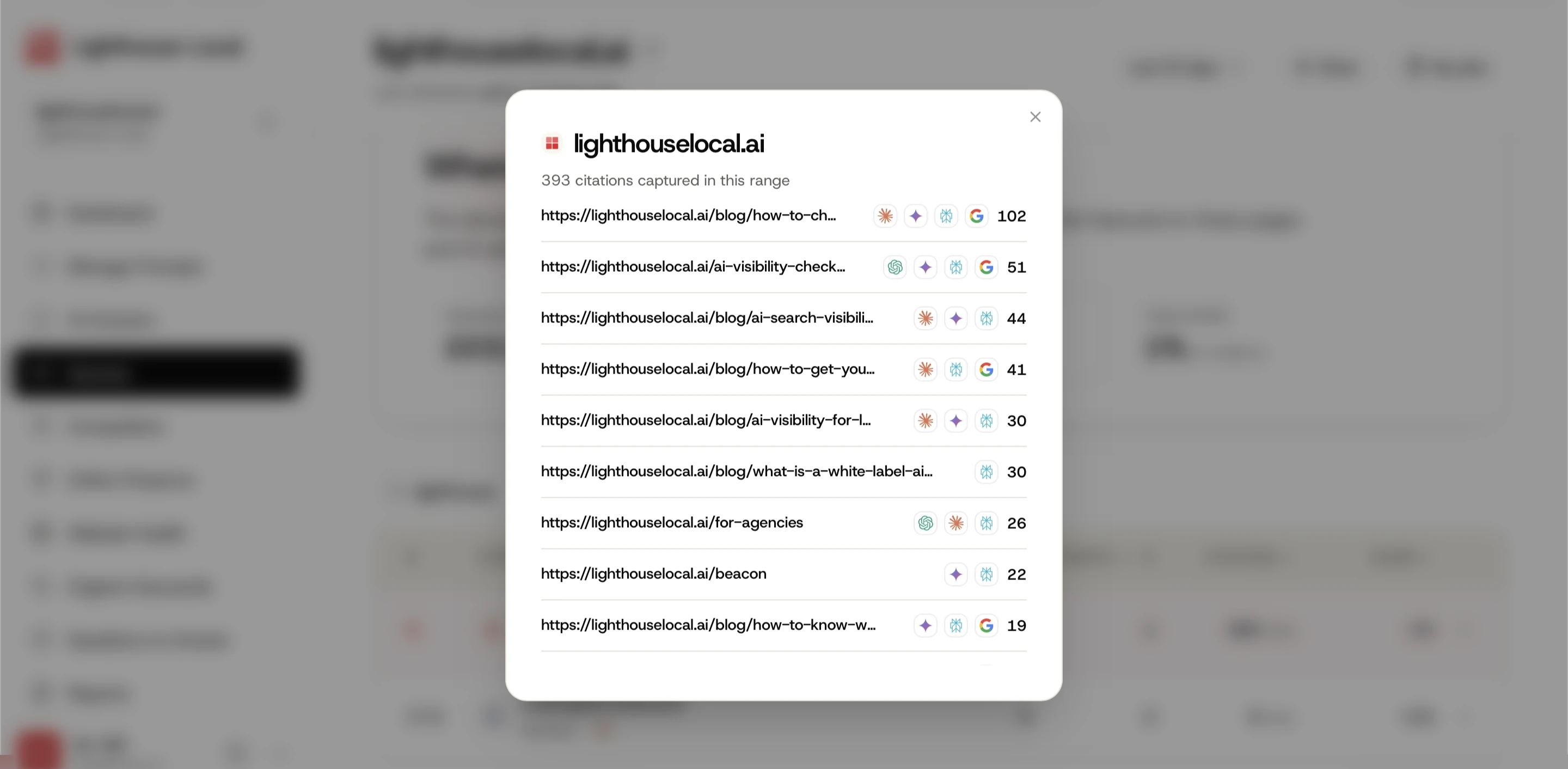
The list is that site's cited pages in order, most cited first. If you searched by page address, the page you were looking for is in that list.
Rank and Share Stay the Same While You Search
Searching narrows the table. The numbers on each row don't change.
- The # column is each site's place in your full list, in the order you've sorted it. A site that's fourth overall still shows 4 when it's the only match.
- Share is still that site's part of all your citations.
- Domains Cited, Total Citations, and Your Share at the top cover every site.
- Sorting by Authority, Traffic, Citations, or Share keeps your search.
The search covers the date range at the top of the page, so pick the range first.
If you send clients a share link from Lighthouse Local for Agencies, they can search by site name too.
Open Sources and type the one site you've been wondering about.
Frequently asked questions
Why does a site show up when its name doesn't match my search?
One of its cited pages has what you typed in its address. Click the row to see that site's cited pages.
Is search on every plan?
Yes. It's on the Sources page on every plan, and there's nothing to switch on.